How to update Menu Hours and Holiday Hours
You can make changes to your ordering hours directly through the web dashboard. The menu hours set in Menu Editor will affect the availability of this menu on all the online platforms connected to it.
Note: If your Menu Editor looks different, reference this article for instructions on our Legacy Menu Editor.
How to update your Standard Menu Hours
- Log in to your ChowNow dashboard.
- Click on “Headquarters”, then the name of your location.
- Click on “Menus” then “Menu Editor” on the left sidebar.
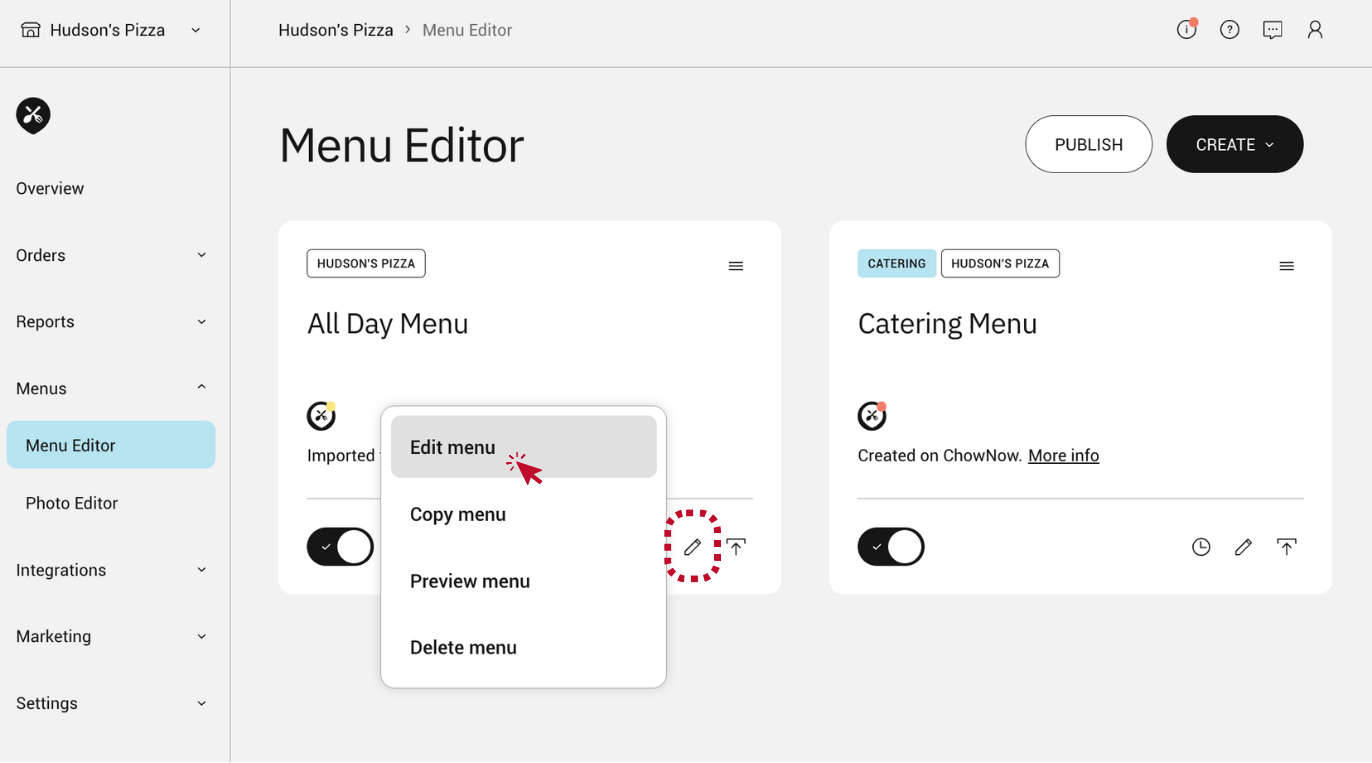
- Click the pencil icon within the menu you would like to edit, and select “Edit menu”.
![]()
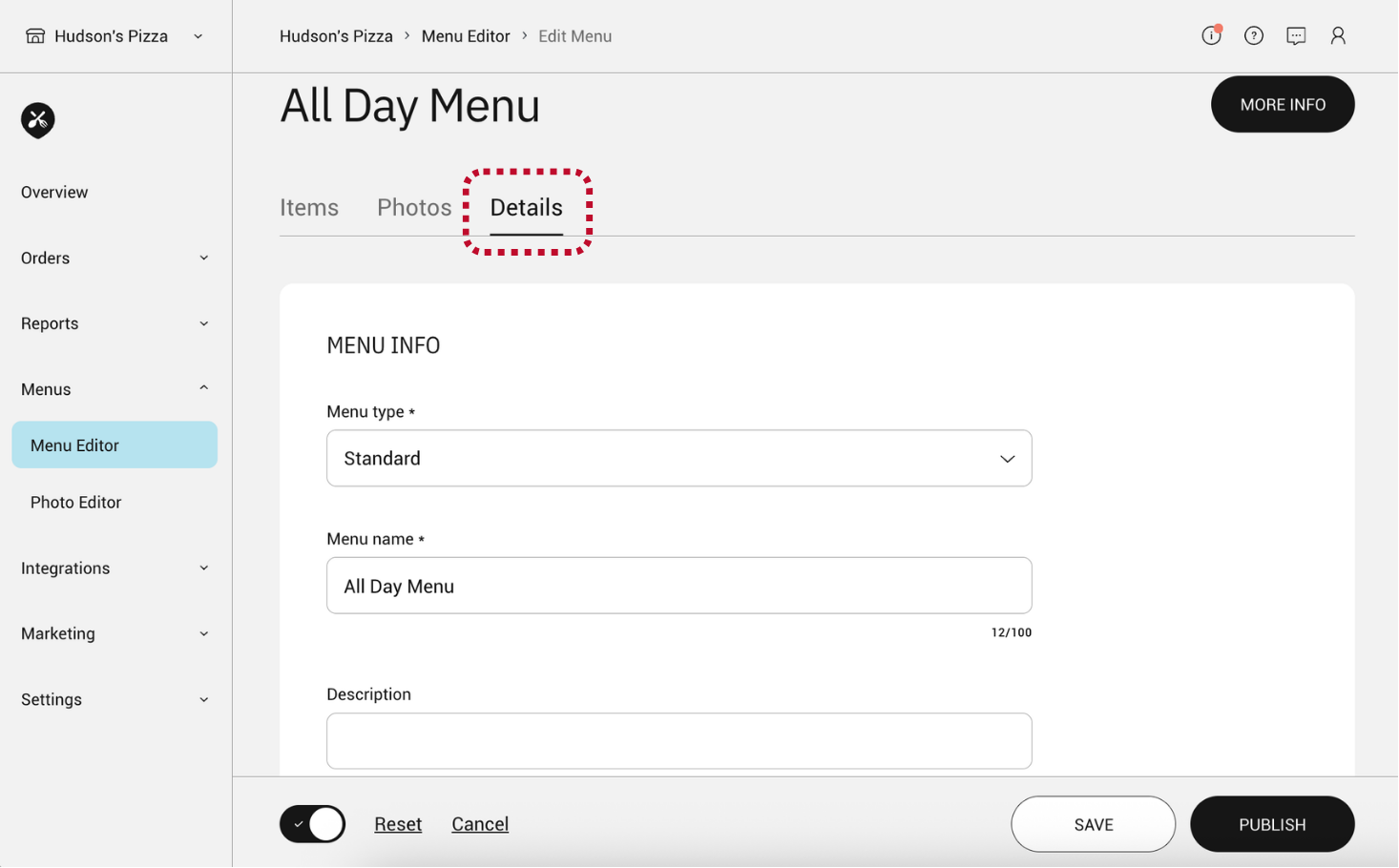
- Navigate to the “Details” tab and scroll down to see the scheduler.
![]()
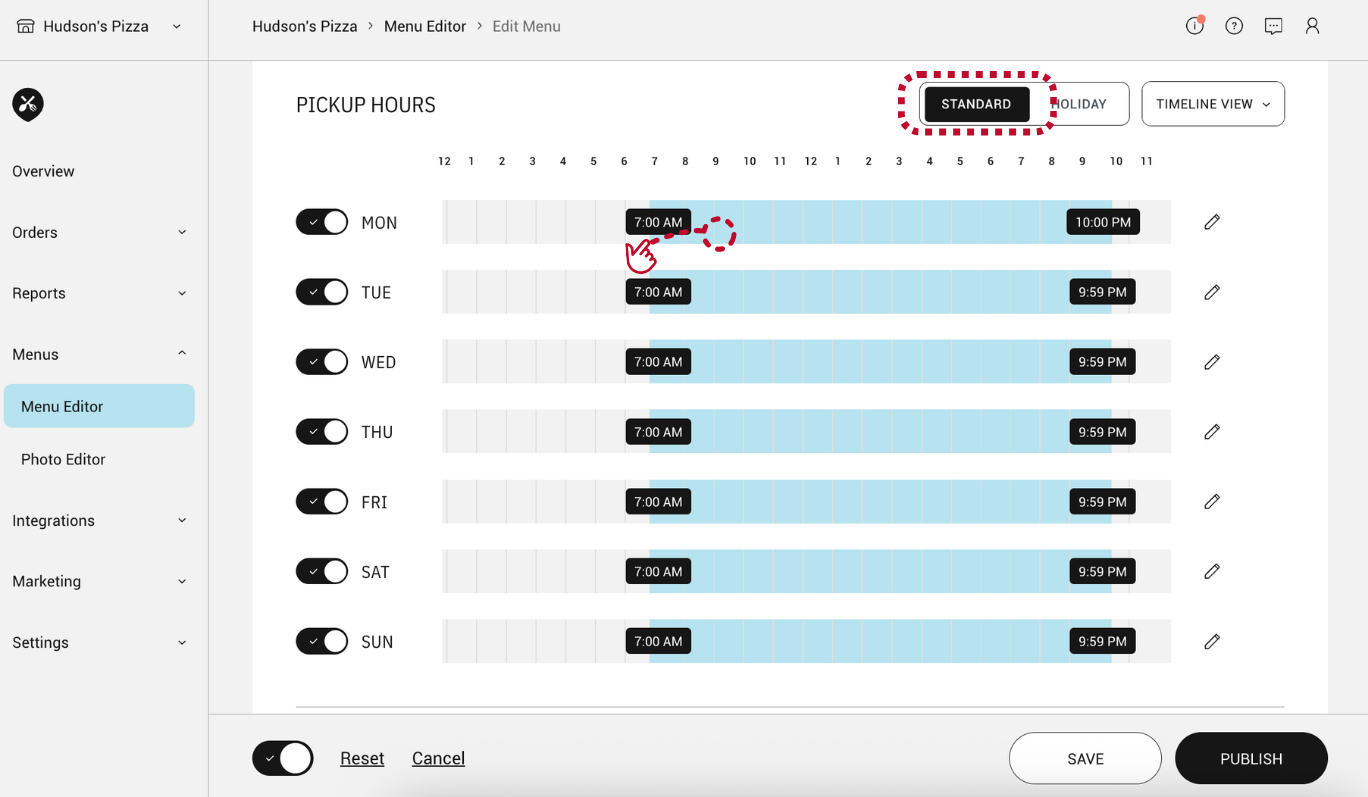
- Make sure you are viewing the schedule for your “Standard” hours.
![]()
- From here you can adjust menu hours per day by dragging the blue bar to fit your desired times.
- If your restaurant is closed on a certain day of the week, you can toggle that day “off”.
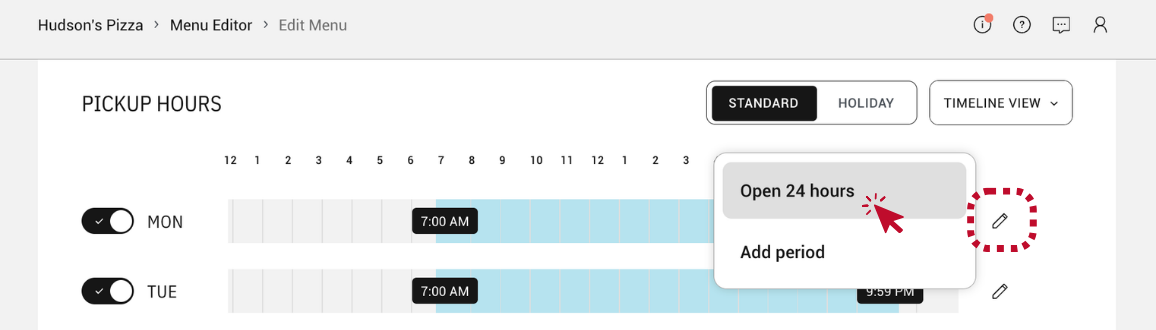
- If you restaurant is open 24 hours click the pencil icon to the right of the scheduler bars and select “Open 24 hours”.
![]()
- Update your menu hours as needed and click “PUBLISH” to push changes live on your menu.
Note: Any menu changes need to be published in order to show on the delivery apps connected to the menu.
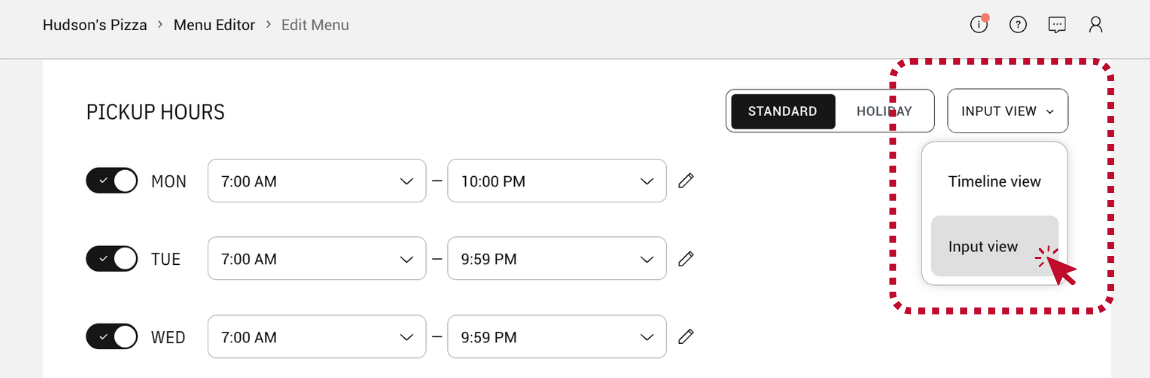
If you prefer a different editing view, select “Input view” in the upper right corner of the scheduler.
![]()
Updating Pickup & Delivery Hours
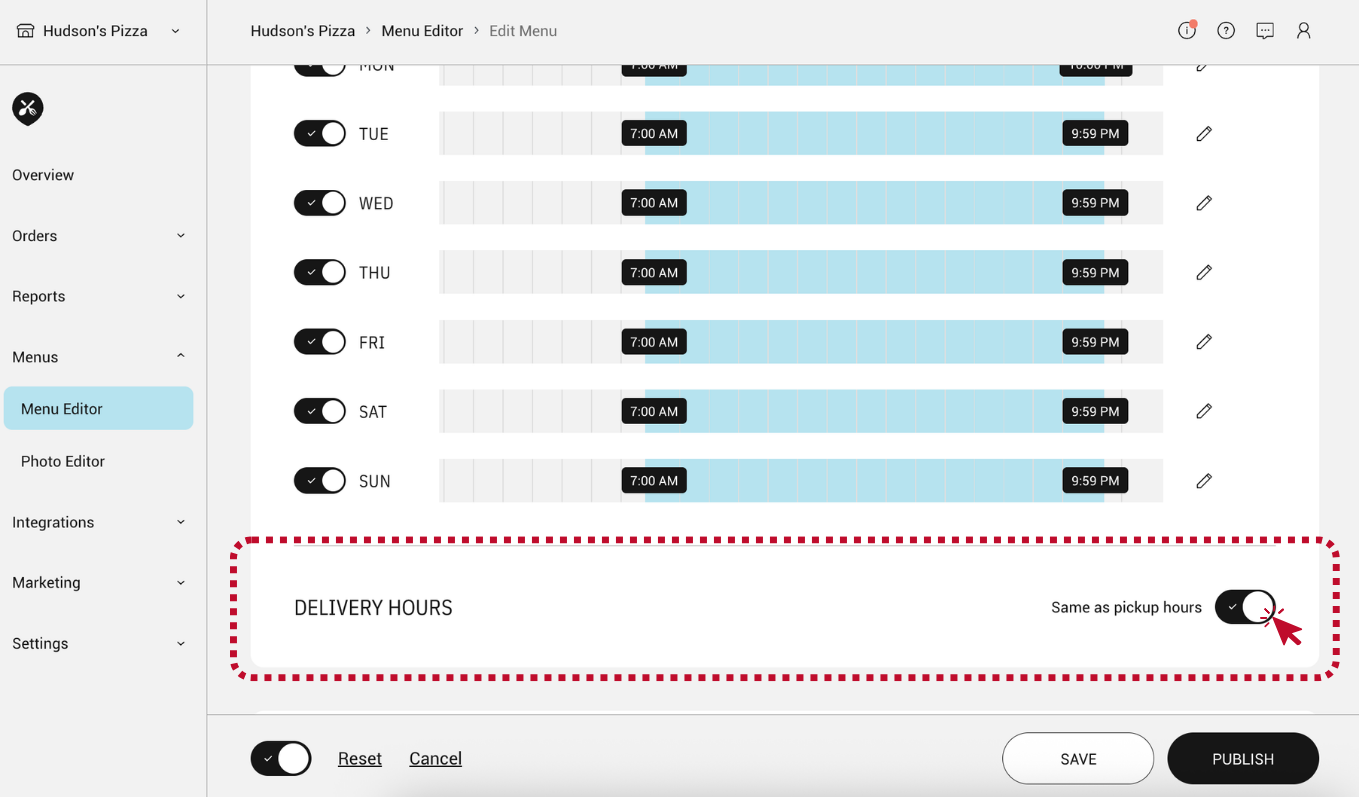
If you’re menu has the same hours for pickup and delivery, turn on the toggle “Same as pickup hours” below the scheduler.
If you’re menu has different delivery hours, turn the toggle off and adjust delivery hours as needed.
How to update your Holiday Menu Hours
- To update holiday hours, toggle the menu scheduler view to “Holiday” within the “Details” tab of your menu.
- Select “+ Add Holiday” and adjust the date and time as needed.
- Click “PUBLISH” to push changes live on your menu.
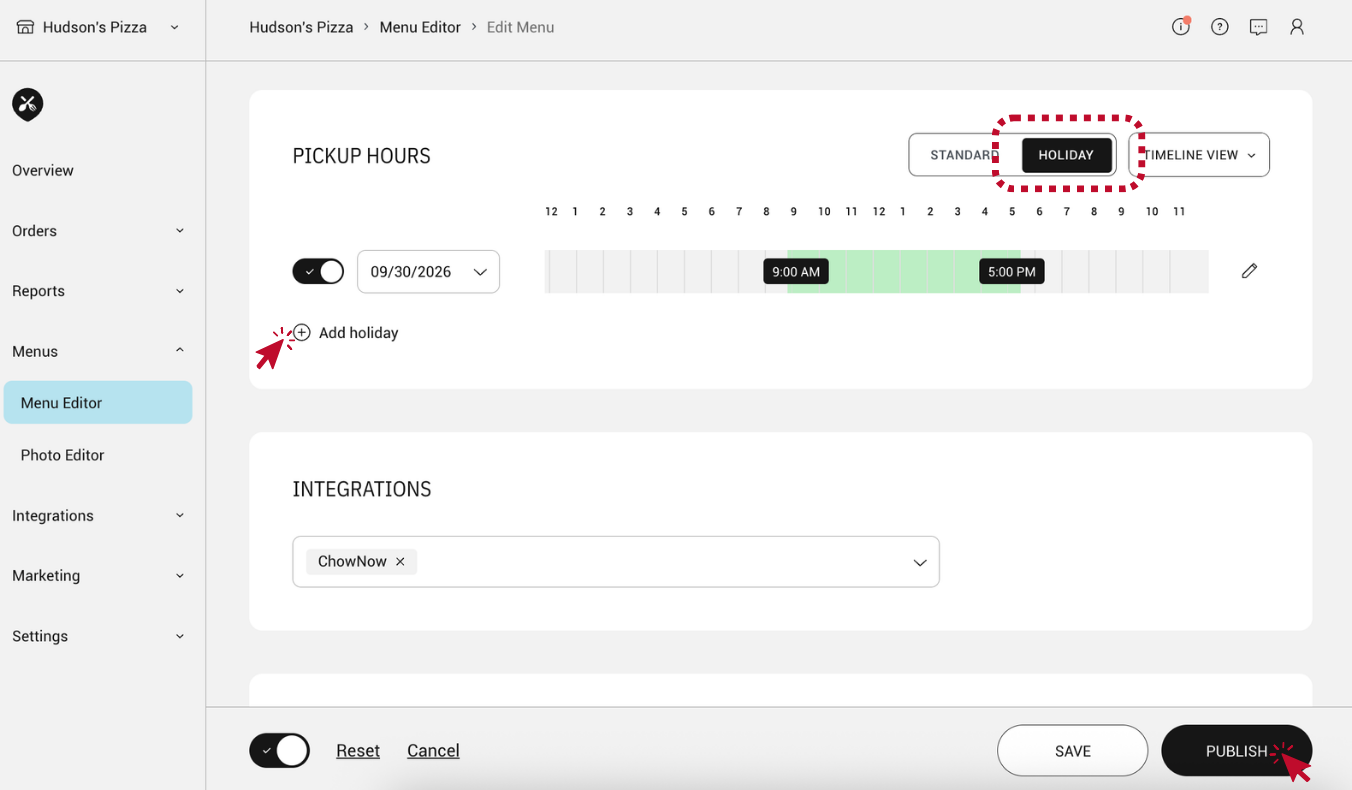
Note: If the Holiday Hours are set for the current day, publish the menu for the hours to show on the delivery apps connected to the menu. If the Holiday Hours are set for a day or days in the future, the menu will be automatically published at 1am on the day prior to the first day with Holiday Hours. Once the Holiday Hours have passed, the Standard Hours will be re-published.