Adding a Disclaimer to Your Catering Menu
Your catering disclaimer lets you set clear expectations with diners before they place a catering order. It’s a place to communicate policies that don’t always fit neatly into item descriptions, like lead times requirements, order minimums, and cancellation/refund policies.
How to add a disclaimer to your catering menu
- Select the location you’d like to edit
- Navigate to Settings > Location Details in the left-hand navigation
- Select Catering
- Click the pencil icon in the Overview section
- Toggle ON “Show disclaimer on catering menus”
- Type your disclaimer in the “Catering disclaimer” text box and click Save to apply changes
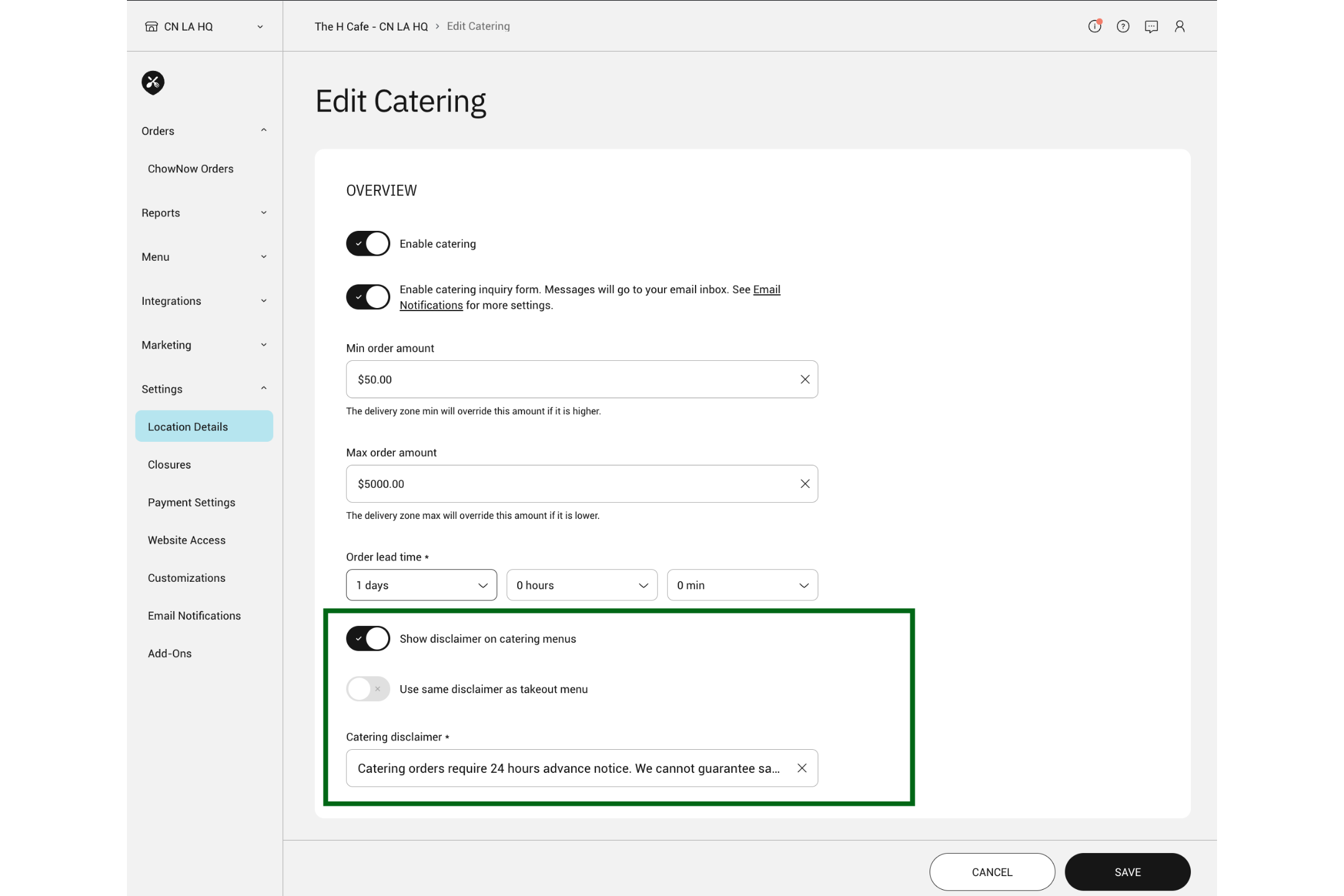
If you already have a disclaimer on your standard takeout menu and want to use it on your catering menu as well, simply toggle on “Use same disclaimer as takeout menu” instead of writing a new one.