How do I 86 items when I run out of ingredients?
Note: If your Menu Editor looks different, reference this article for instructions on our Legacy Menu Editor.
To hide a menu item on your diner-facing menu:
- Log in to your ChowNow dashboard.
- Click on “Headquarters”, then the name of your location.
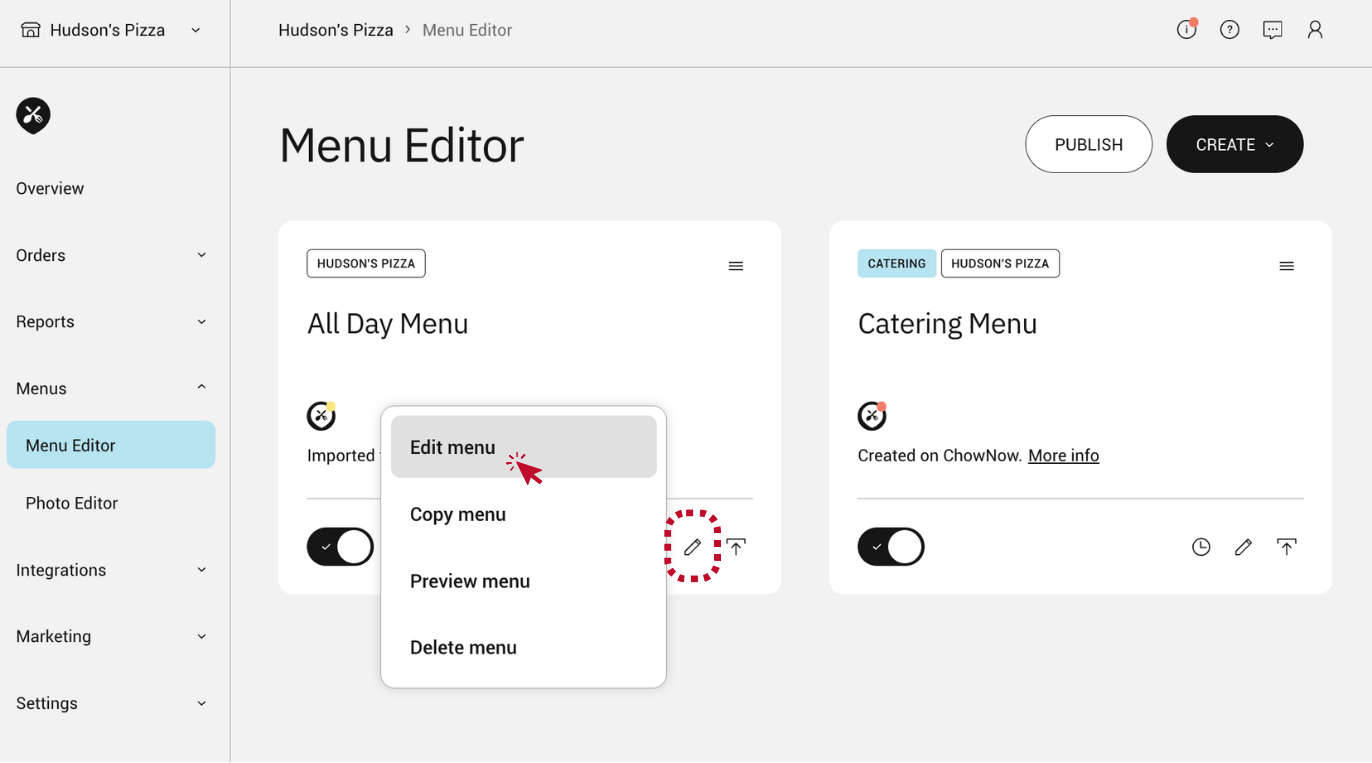
- Click on “Menus” then “Menu Editor” on the left sidebar.
- Click the pencil icon within the menu you would like to edit, and select “Edit menu”.
![]()
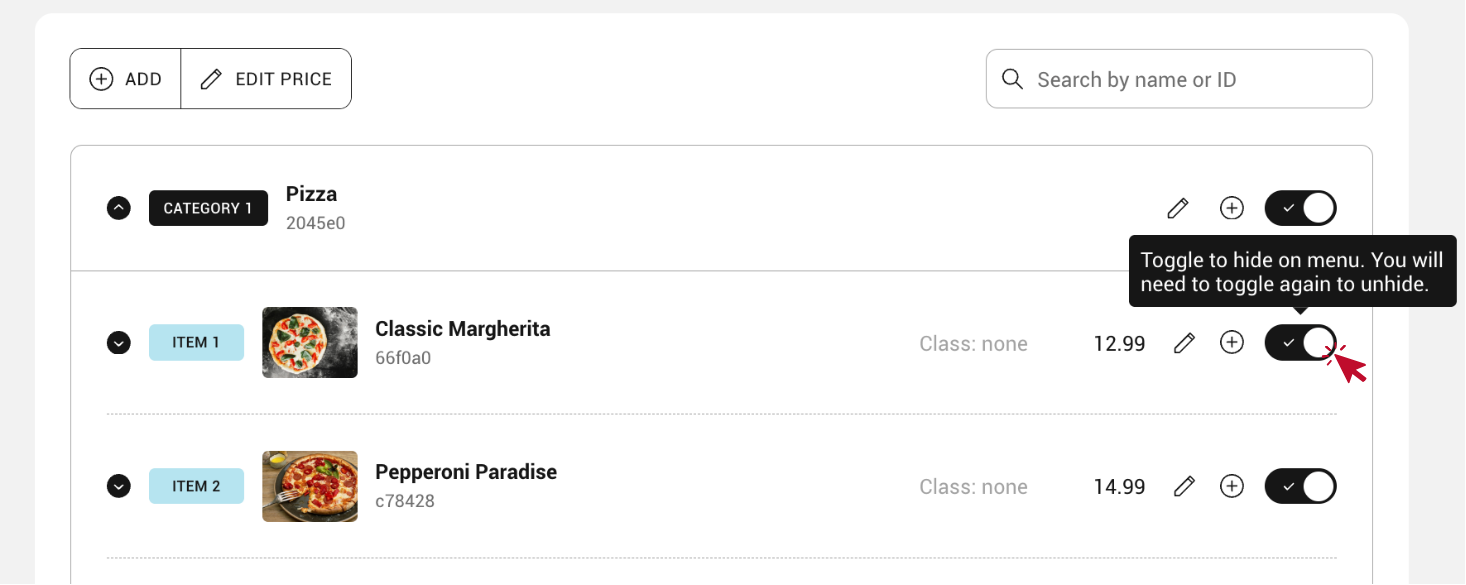
- Within the “Items” tab, toggle the switch next to the menu item or modifier you would like to hide.
![]()
- If an item gets restocked and can be sold again, just click the toggle button again to restore the menu item.