How do I rearrange the order my menu items appear in?
Note: If your Menu Editor looks different, reference this article for instructions on our Legacy Menu Editor.
To rearrange categories or items on your menu:
- Log in to your ChowNow dashboard.
- Click on “Headquarters”, then the name of your location.
- Click on “Menus” then “Menu Editor” on the left sidebar.
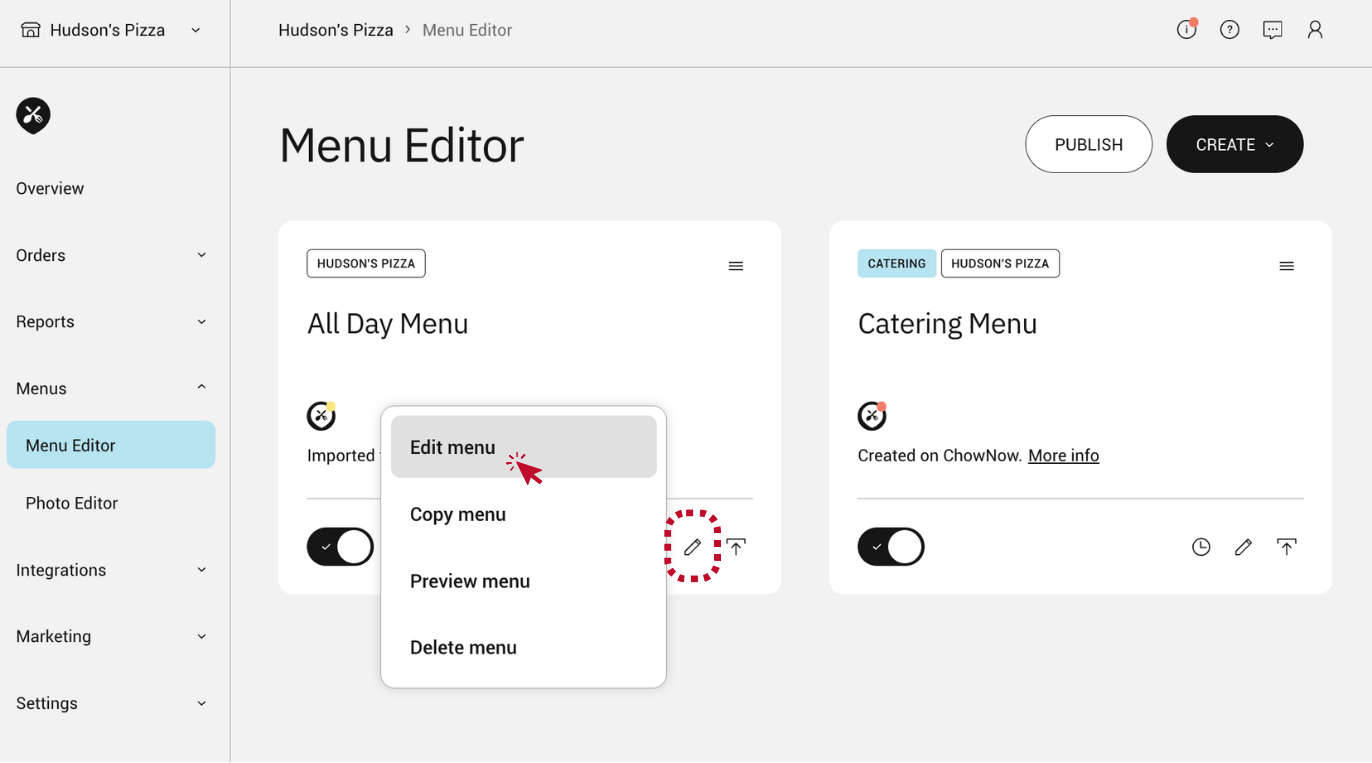
- Click the pencil icon within the menu you would like to edit, and select “Edit menu”.
![]()
Rearrange a Category
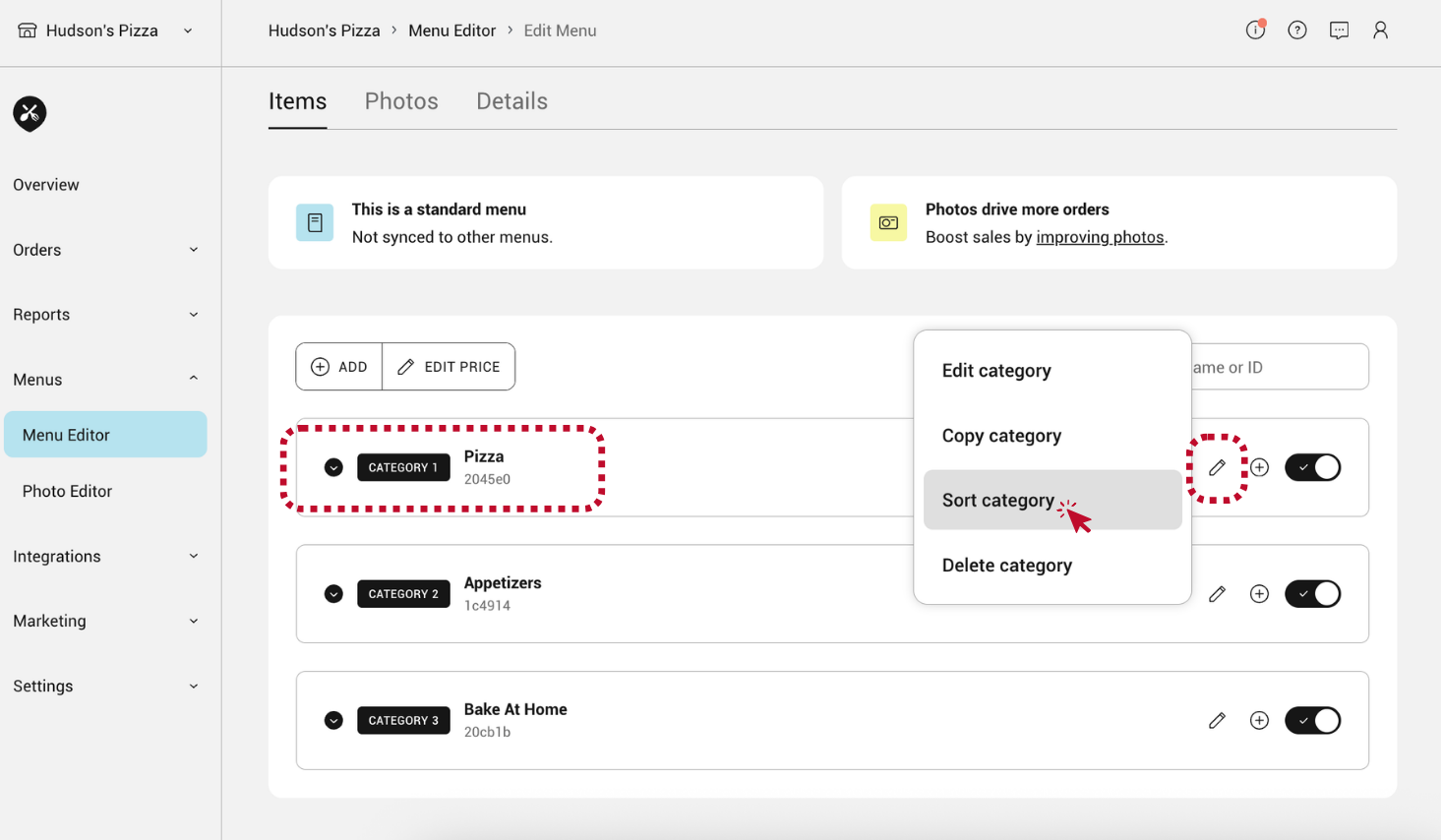
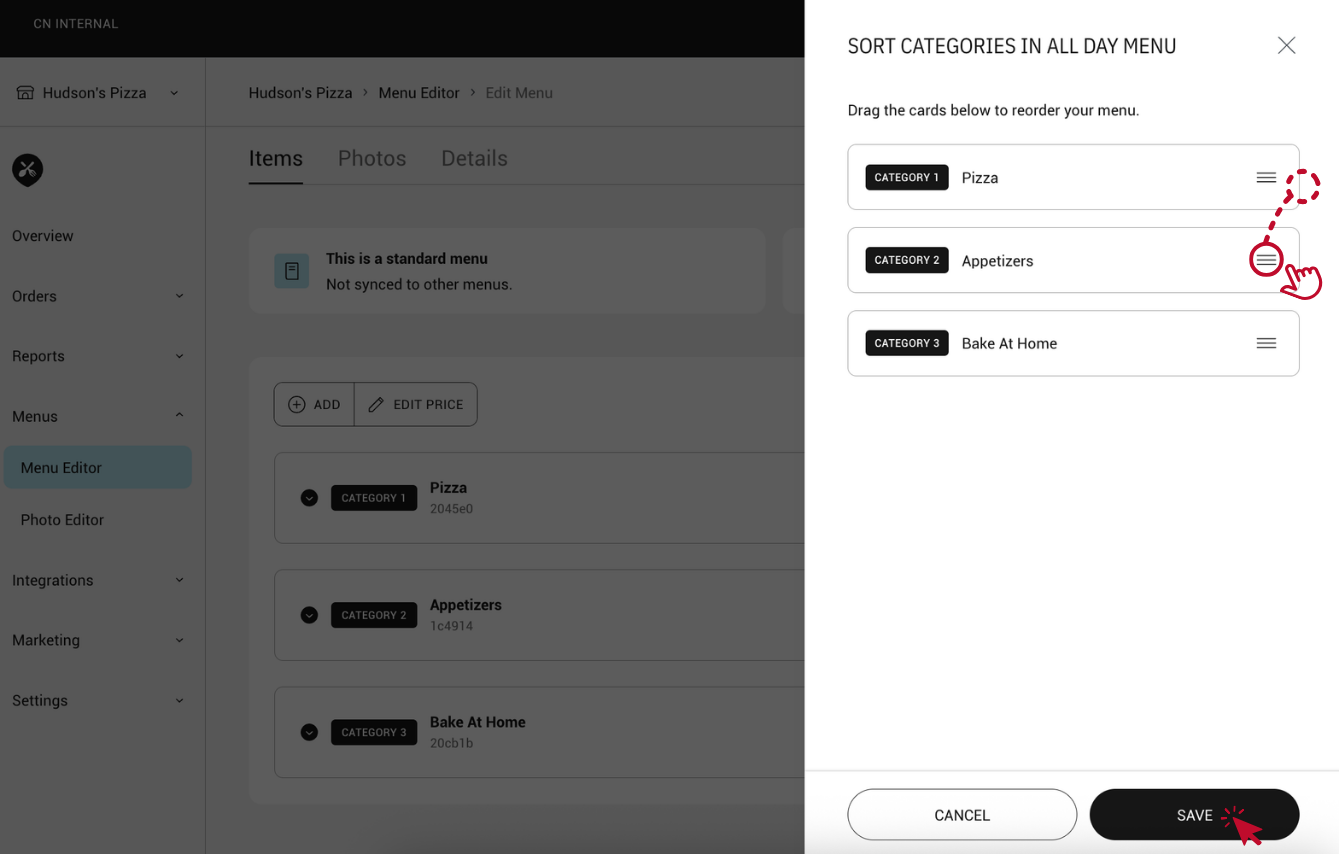
- Click the pencil icon to the right of a category and select “Sort category”.
![]()
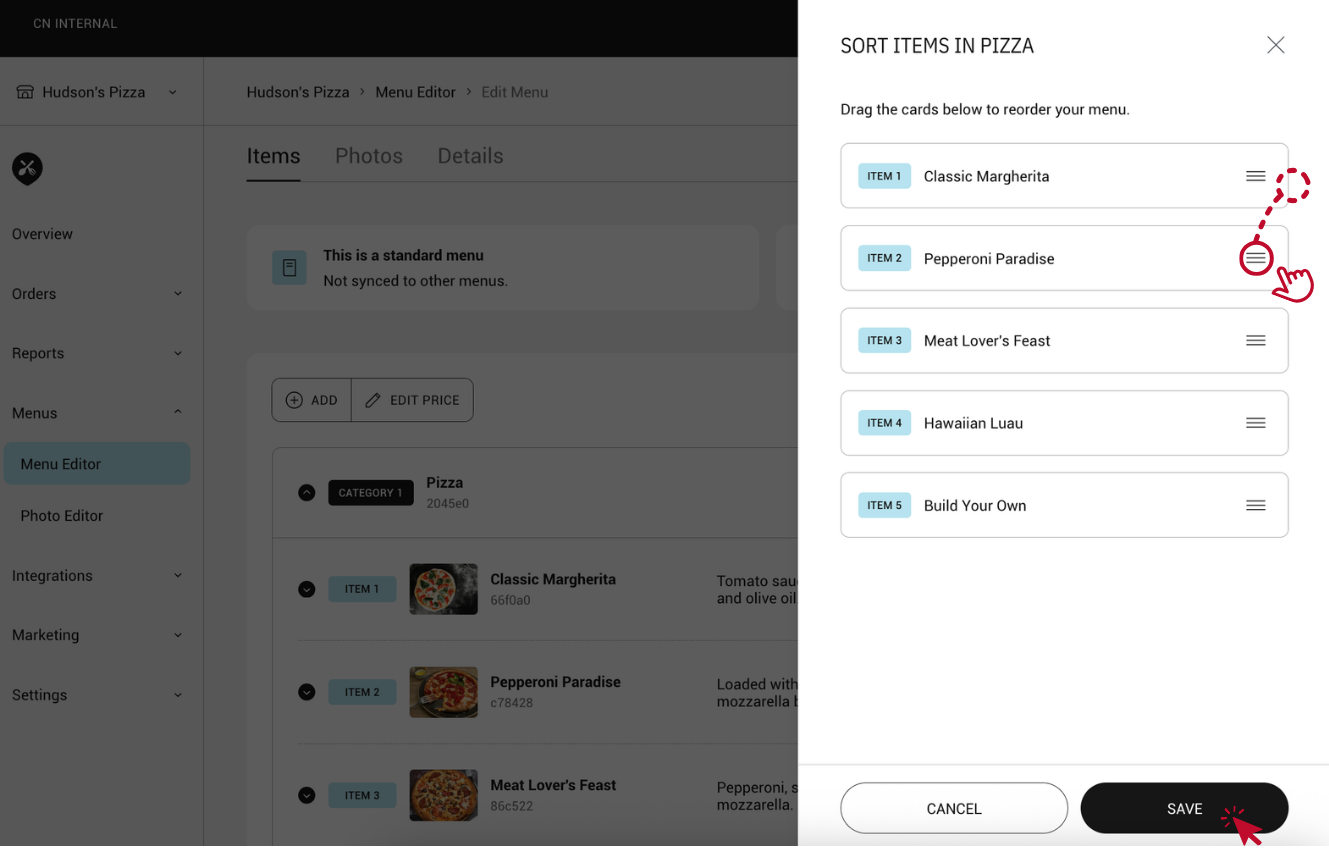
- Click and hold the three horizontal lines within a list item and drag and drop to reorder.
- Click “SAVE”.
![]()
Rearrange Menu Items
- Click the dropdown to view the items within a category.
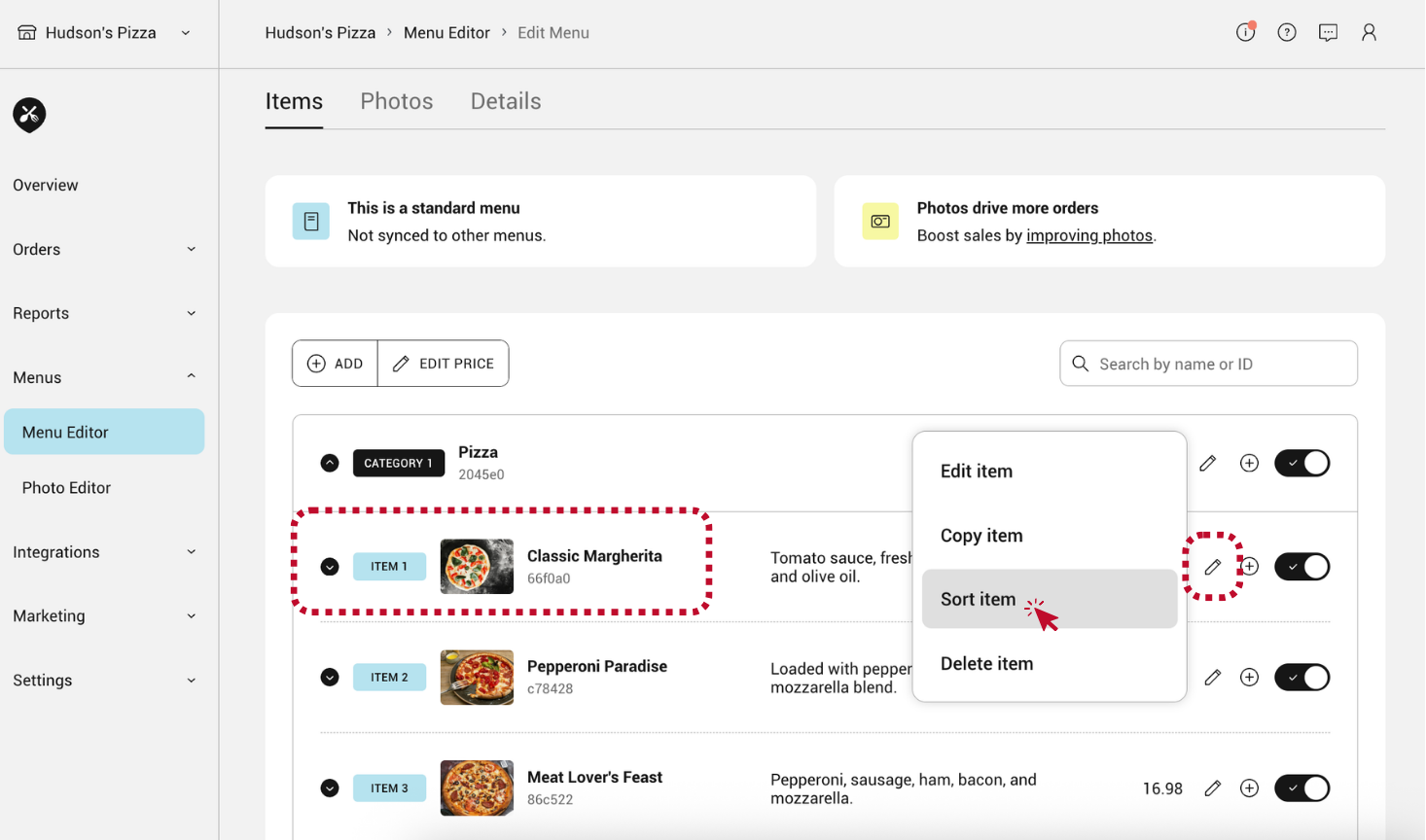
- Click the pencil icon to the right of an item and select “Sort item”.
![]()
- Click and hold the three horizontal lines within a list item and drag and drop to reorder.
- Click “SAVE”.
![]()