Understanding Marketing Contact Limits
ChowNow plans includes a set number of marketing contacts you can engage with across email and SMS. This article explains what counts as a contact, how diners are added to your list, and how to monitor your balance.
What Is a Marketing Contact?
A marketing contact is any diner in your database who subscribed to your email or SMS marketing and is eligible to receive your campaigns. These are also referred to as active contacts. Each unique diner counts as one contact, whether you reach them by email, SMS, or both.
Diners who are unsubscribed or whose contact info has bounced (meaning their email or phone number can’t be reached) are not active, and don’t count against your limit.
How Diners Are Added to Your Contact List
Diners are added to your marketing contact list two ways:
- Automatically, when they place an order through your direct ChowNow channels. (online ordering, your branded mobile app, discovery channels, ChowNow Marketplace, and in-store QR Code Ordering.)
- Via a one-time list upload during onboarding, where you can submit your existing in-store marketing contacts (e.g., reservations or a list from a previous marketing platform).
Regardless of how a diner is added, every active contact counts toward your plan’s contact limit.
See also: How Do I Add In-Store Diners to My ChowNow Marketing List?
Contact Limits by Plan
Your plan determines how many contacts you can have in your marketing list at one time:
- Launch: 500 contacts
- Grow: 2,000 contacts
- Elevate: 5,000 contacts
If your list reaches your plan’s limit, new diners won’t be added to your marketable audience until contacts are removed or you upgrade your plan. Contact limit increases are available for restaurants on Elevate with 5,000+ contacts. Reach out to [email protected] to learn more.
What Counts Against Your Limit
Only active contacts count toward your limit. A diner is automatically removed from your active count when they:
- Unsubscribe from your email or SMS marketing
- Bounce — meaning their email address or phone number can’t be reached after delivery attempts
These diners stay in your database for reporting and history, but they’re not counted against your plan’s contact limit and won’t receive future campaigns.
Monitoring your contact balance
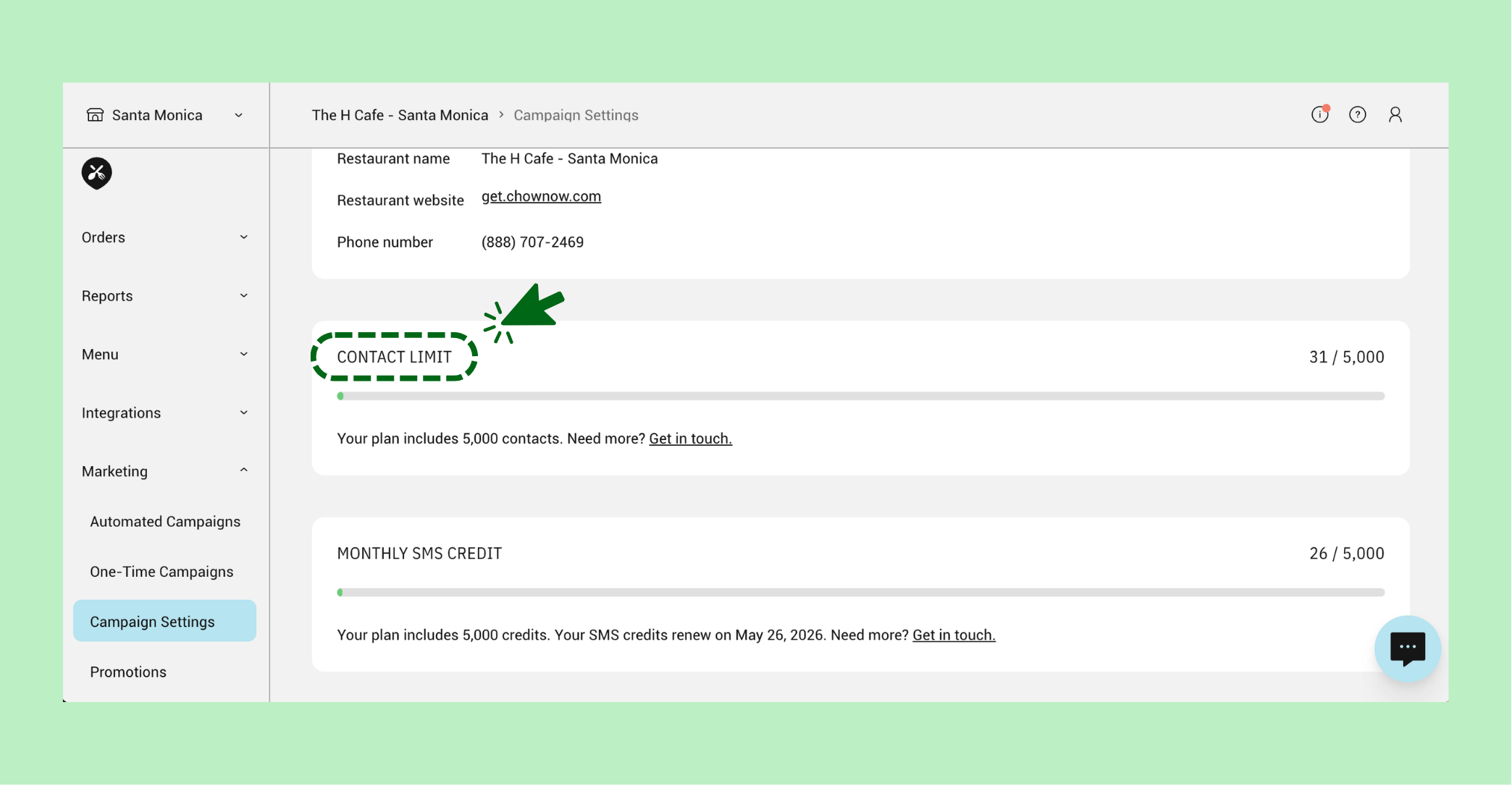
You can check your contact balance anytime from your ChowNow Dashboard:
- Go to “Marketing” > “Campaign Settings”
- Scroll down to “Contact Limit”
Your balance updates as diners are added, unsubscribe, or bounce.