How To View Performance Of Automated Campaigns
Knowing what’s working is how you turn good marketing into great marketing. ChowNow’s built-in reporting shows you exactly how each automated campaign is performing, so you can see what’s driving engagement and where to focus next.
Where to find your reports
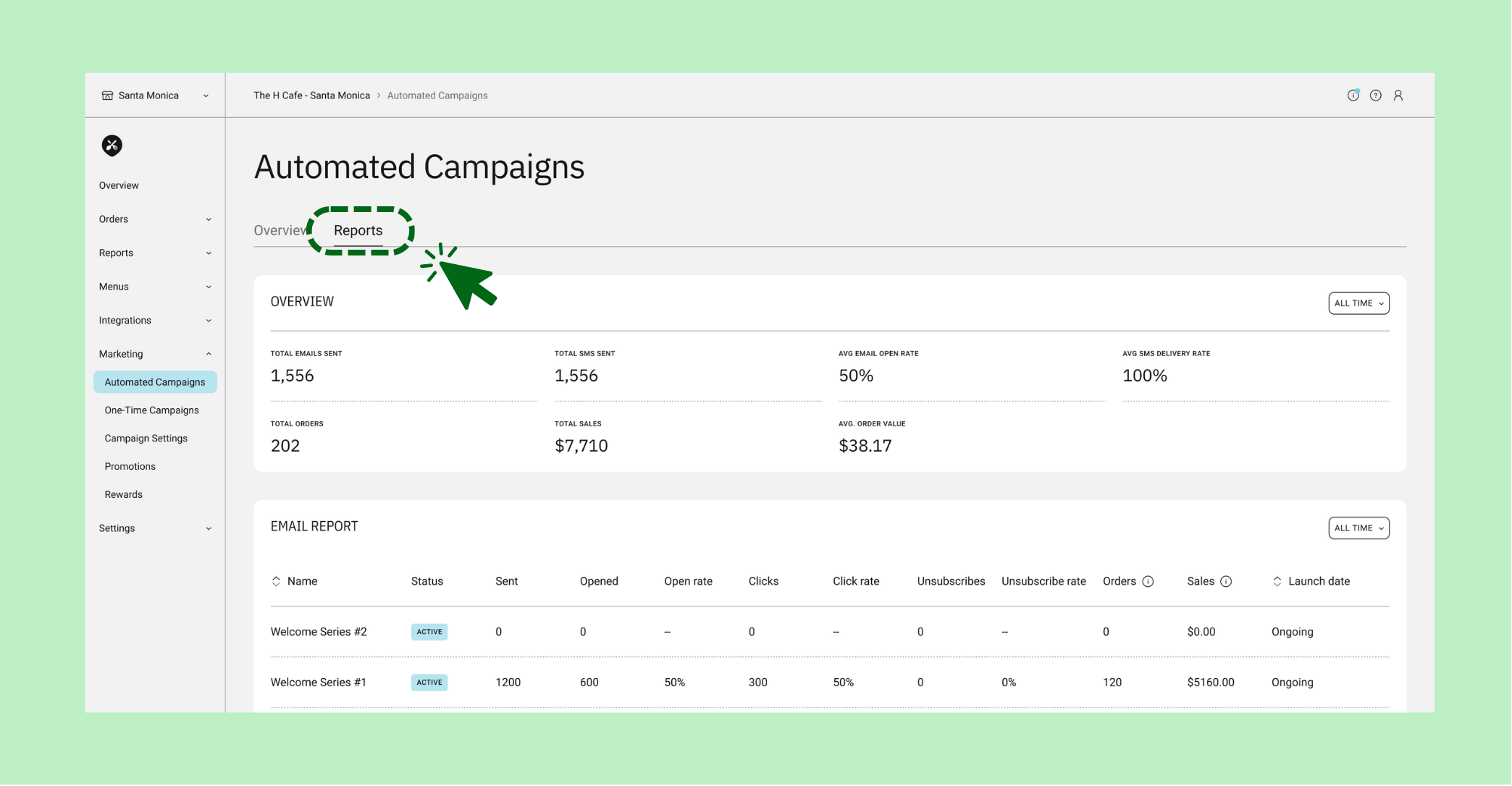
To view performance of on-demand campaigns in your ChowNow Dashboard, navigate to “Marketing” > “Automated Campaigns” and select “Reports”.
You’ll see a table showing performance across all automated campaigns that have been sent.
Understanding your metrics
On this page you will see a performance for all on-demand campaigns that have been sent, broken down by channel (as applicable). Performance metrics include:
- Status: Whether a campaign is currently active, paused, or completed. A quick way to confirm which campaigns are running.
- Sent: The total number of emails or texts delivered to diners for that campaign. This shows the size of your reach for each send.
- Opens & Open Rate: How many diners opened your message, shown as both a count and a percentage of total sends.
- Clicks & Click Rate: How many diners clicked through from your message to your ordering page, as a count and percentage. This is your clearest signal of intent — clicks mean diners are actively considering an order.
- Sales: Total food sales generated by one-time campaigns. Includes orders using a promo code or orders placed within 14 days of a diner opening the email.
- Unsubscribes & Unsubscribe Rate: How many diners opted out of future messages.