How to integrate with DoorDash
In order to integrate your DoorDash account with ChowNow, you will need your DoorDash username and password with Business Admin or Business Group Admin access.
Submitting your DoorDash credentials on the ChowNow Dashboard
1.Go to the Integrations tab on the ChowNow Dashboard.
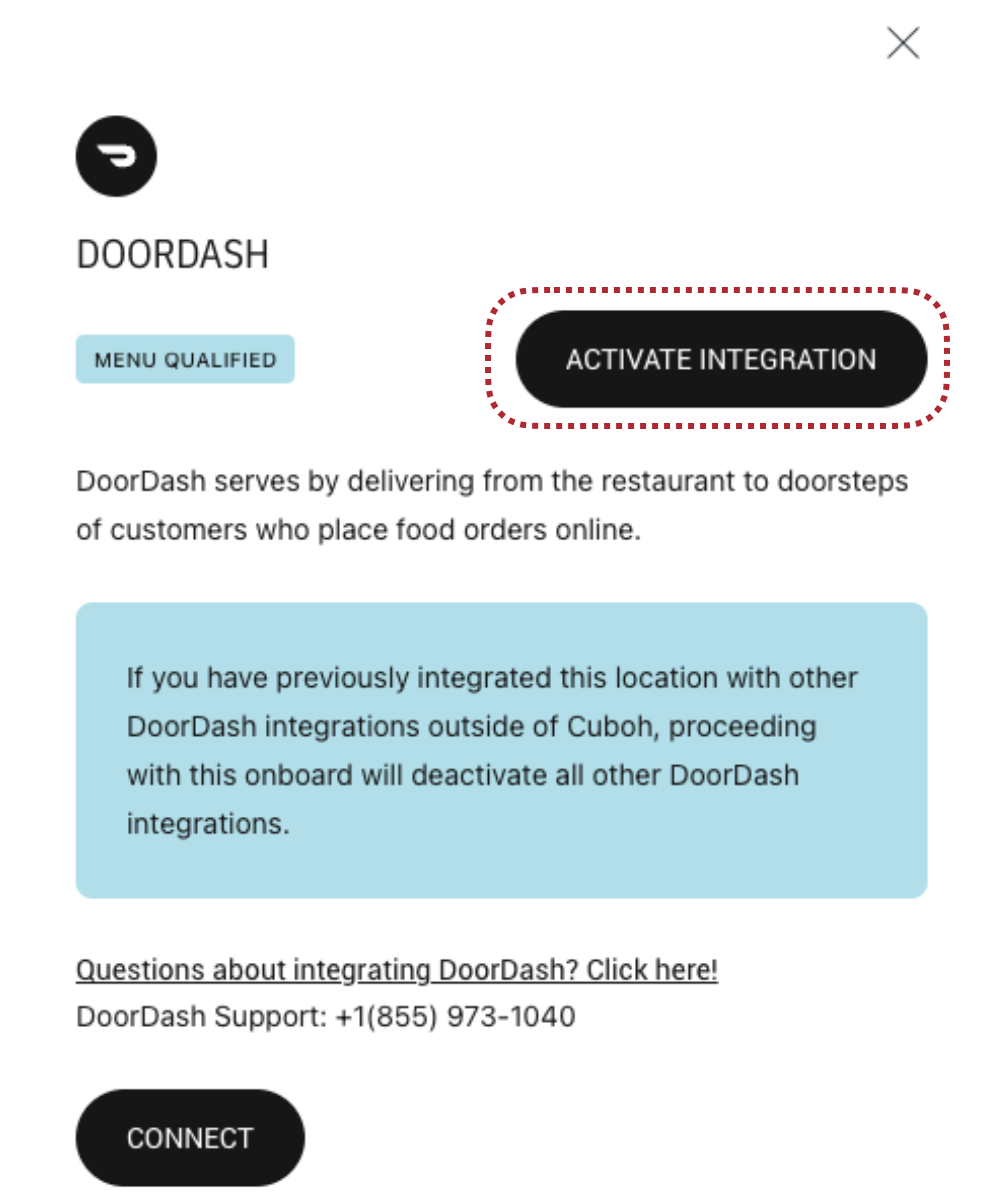
2. Click DETAILS on the DoorDash integration card, and then click CONNECT.

3. From here, you will be redirected to the DoorDash platform where you will enter your Admin username and password. You’ll be prompted with a message asking, “Do you want to give ChowNow access to DoorDash?”. Please click to allow access before being redirected back to the ChowNow Dashboard.
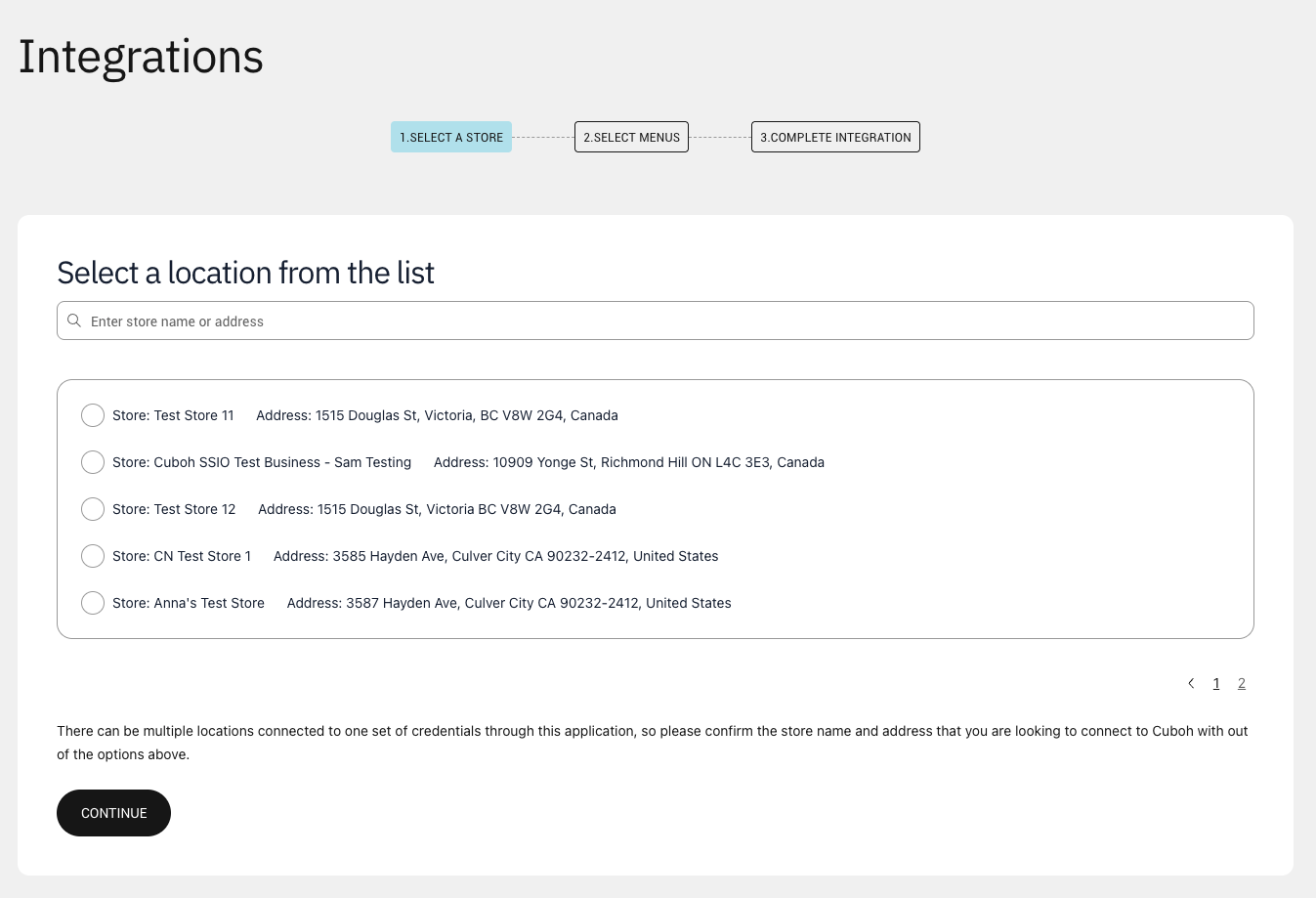
4. SELECT A STORE: Once redirected back to the ChowNow Dashboard, select the correct DoorDash location/store and click on CONTINUE.
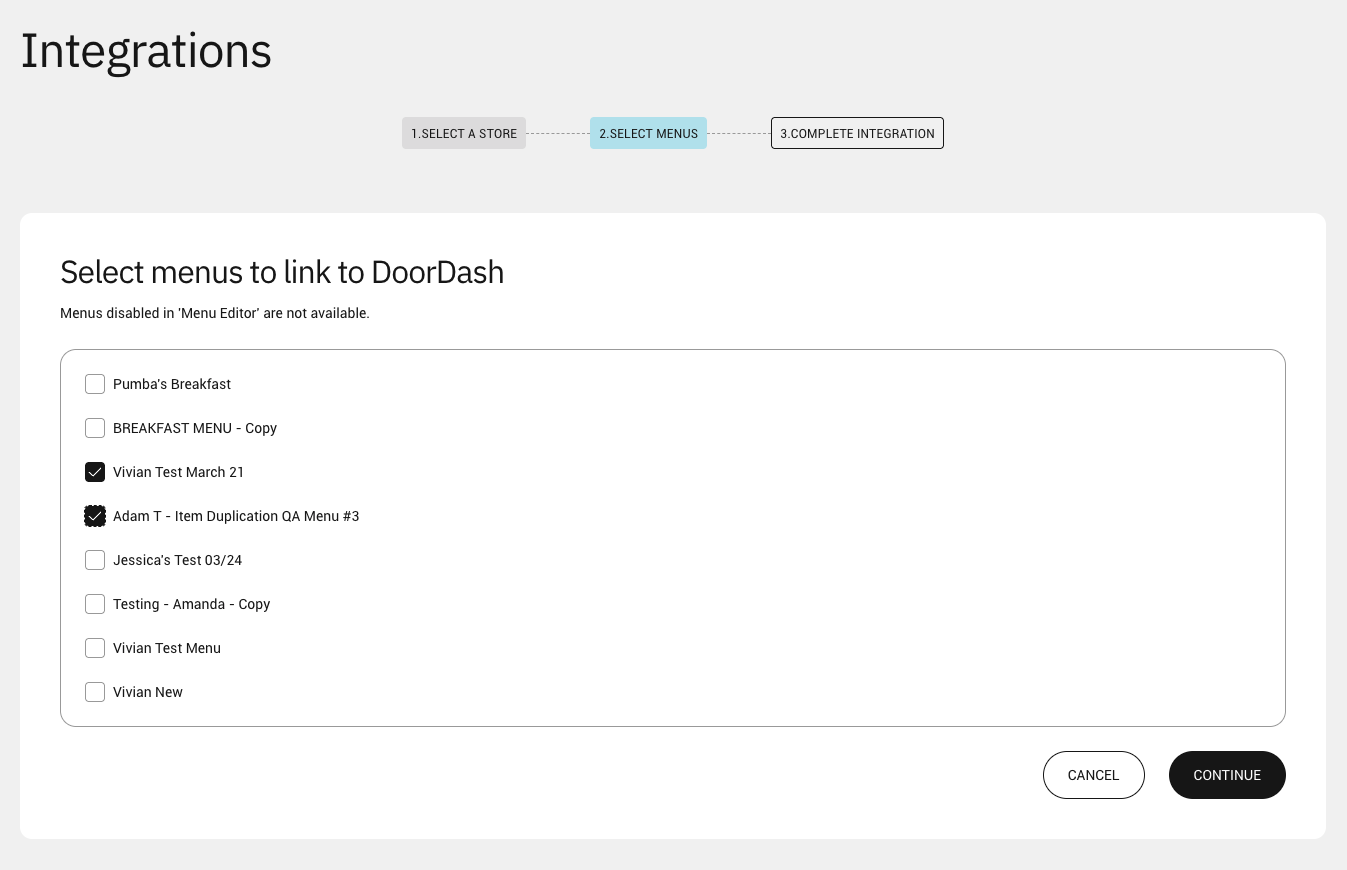
5. SELECT MENUS: If you already have a menu set up in the Menu Editor, you can select it here and click on CONTINUE. If you do not yet have a menu set up in the Menu Editor, please connect with your Onboarding Specialist and they will assist you.
6. COMPLETE INTEGRATION: Review the information to ensure it is correct, and click on CONFIRM.
 You are now ready to take the next steps on getting the integration live!
Next Steps
It is important to collaborate with your dedicated Onboarding Specialist to guide you through the following steps:
- Menu Data Preparation: Work with your Onboarding Specialist to prepare menu data to send to DoorDash.
- Selecting a Go-Live Date: Contact your Onboarding Specialist or the Cuboh Support team to determine a suitable go-live date for the integration. This ensures that the integration process aligns within your operational requirements.
Important: To fully publish you menu to DoorDash, please check the Integrations page on the ChowNow Dashboard to see your Onboarding status. Upon menu qualification, your integration will be ready to activate. The onboarding status will then be displayed as Menu Qualified and once that happens, you will have the ability to ‘Activate Integration’ by clicking on the button.