What if my restaurant has more than one sales tax on food items?
ChowNow supports custom tax rates for items on your online menus, including support for items classified as non-taxable.
Note: Menu items will automatically default to your location-level tax rate unless you explicitly select otherwise.
How to edit custom tax rates:
- Log in to your ChowNow dashboard.
- Click on “Headquarters”, then the name of your location.
- Click on “Menus” then “Menu Editor” on the left sidebar.
- Click the dropdown to view items within a category.
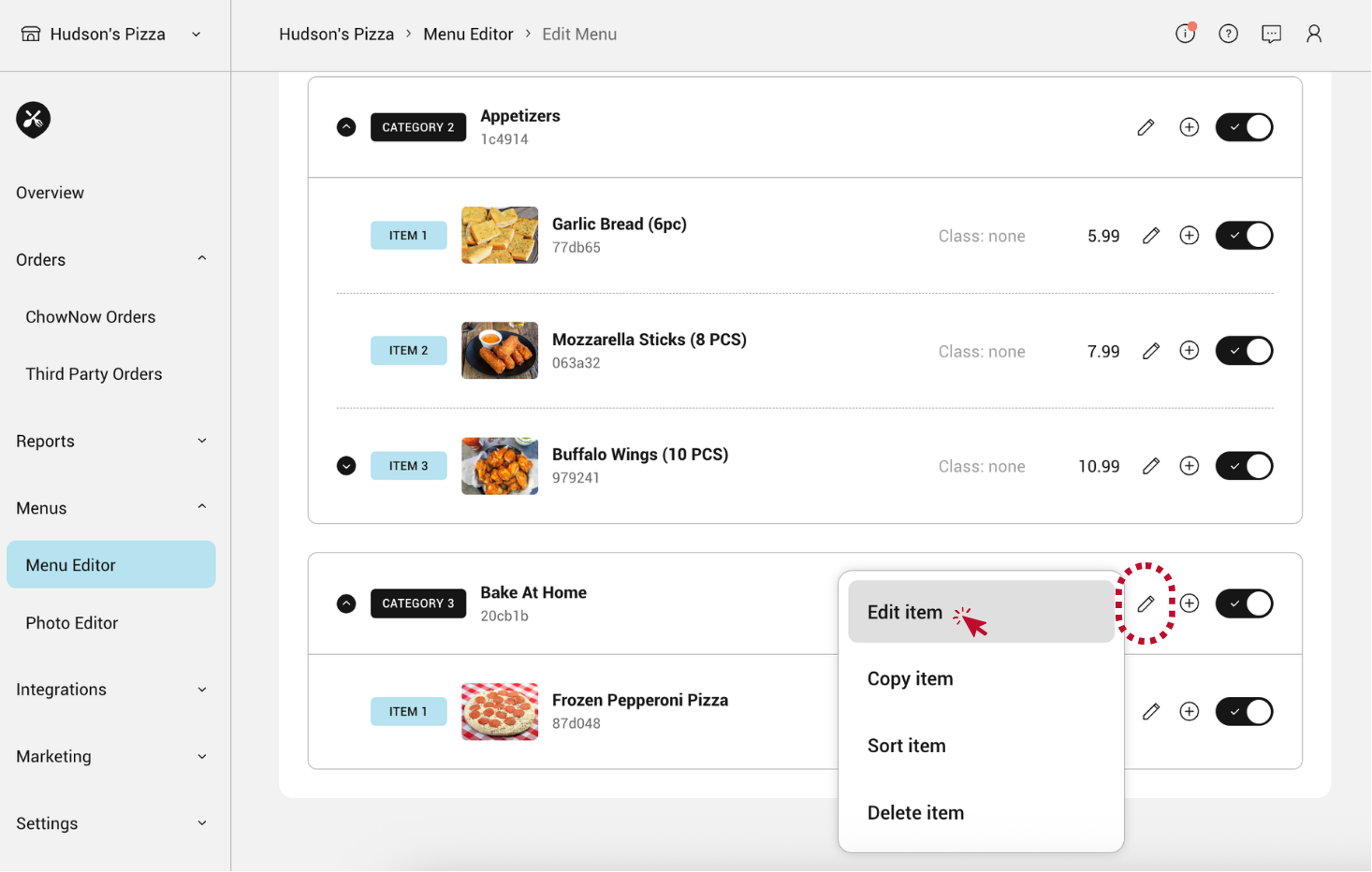
- Click the pencil icon to the right of an item and select “Edit item”.
![]()
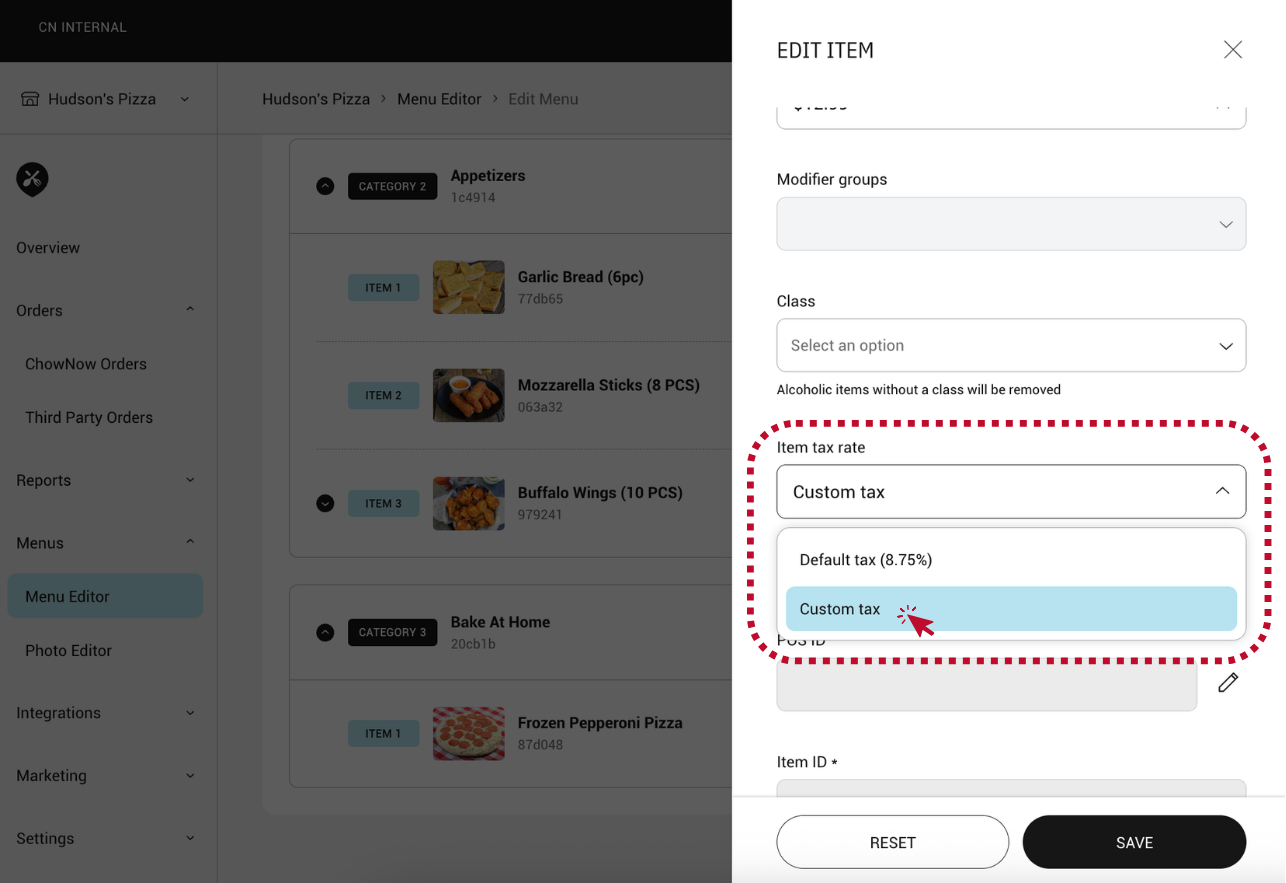
- Within the item editor, you’ll see the “Item Tax Rate” field. Click the dropdown and select “Custom Tax”.
![]()
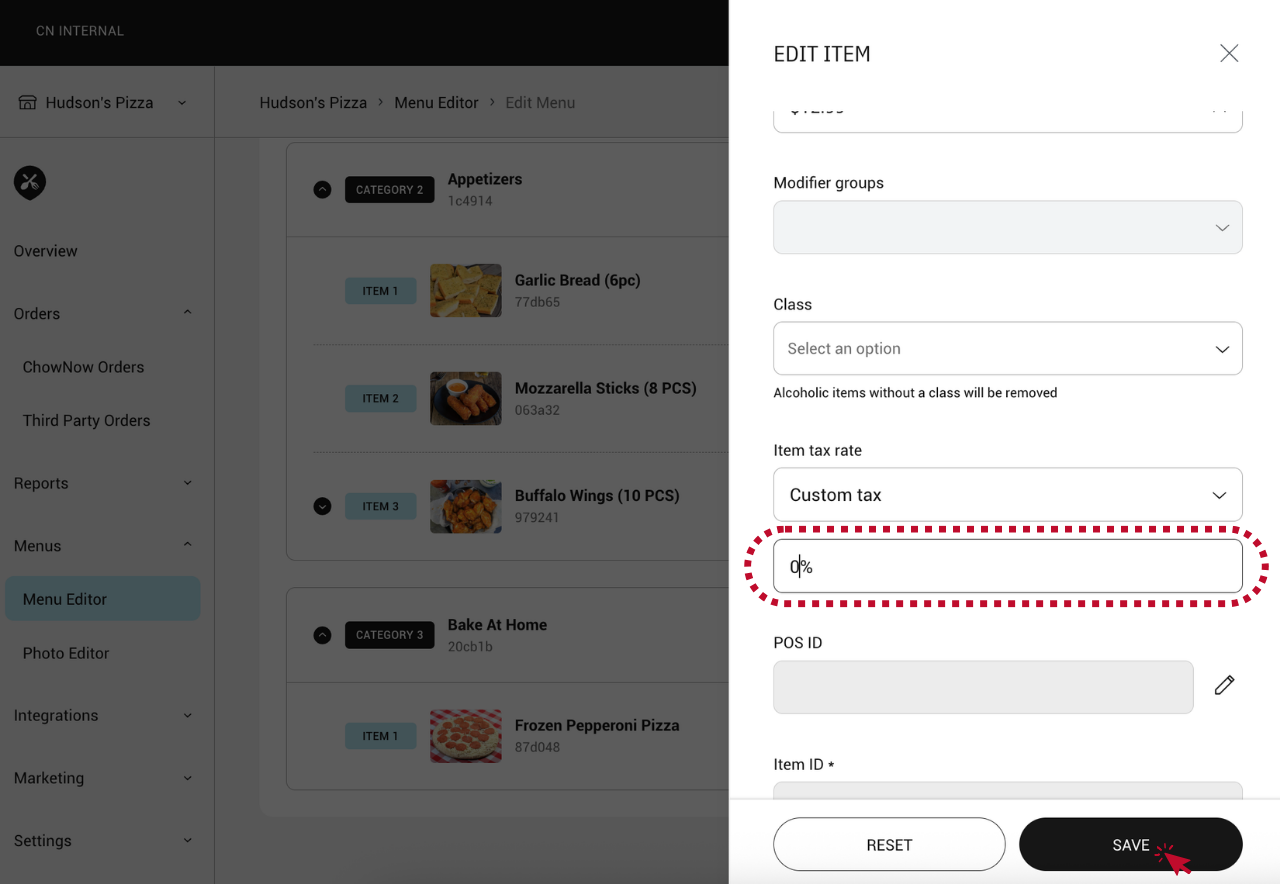
- Enter the new custom tax rate for the item. For non-taxable items, mark the tax rate as 0%. If you want to revert the item’s tax to your location’s default, select “Default Tax”.
- Click “SAVE”.
![]()
Note: For items with modifiers, the parent item’s tax rate will be applied to all modifiers on that item.