Tablet Setup: Printer Settings
Printer Settings control how orders print from your tablet. They apply to printers connected directly to your tablet. They do not affect printers connected to your POS system.
The steps depend on which tablet type you use:
- ChowNow iPad: an iPad mini running the ChowNow Business Manager app
- Android tablet: an Android tablet running the Cuboh app
ChowNow iPad Settings
The ChowNow iPad prints to the Star Micronics T300 printer, which connects over Bluetooth.
See also: How do I connect my ChowNow Printer to the Tablet?
To open Printer Settings:
- Open the Business Manager app.
- Tap the two horizontal lines in the upper left corner to open the navigation menu.
- Under Account, select Settings.
For Accounts with Order Aggregation Enabled (ChowNow Grow, Elevate, Hub)
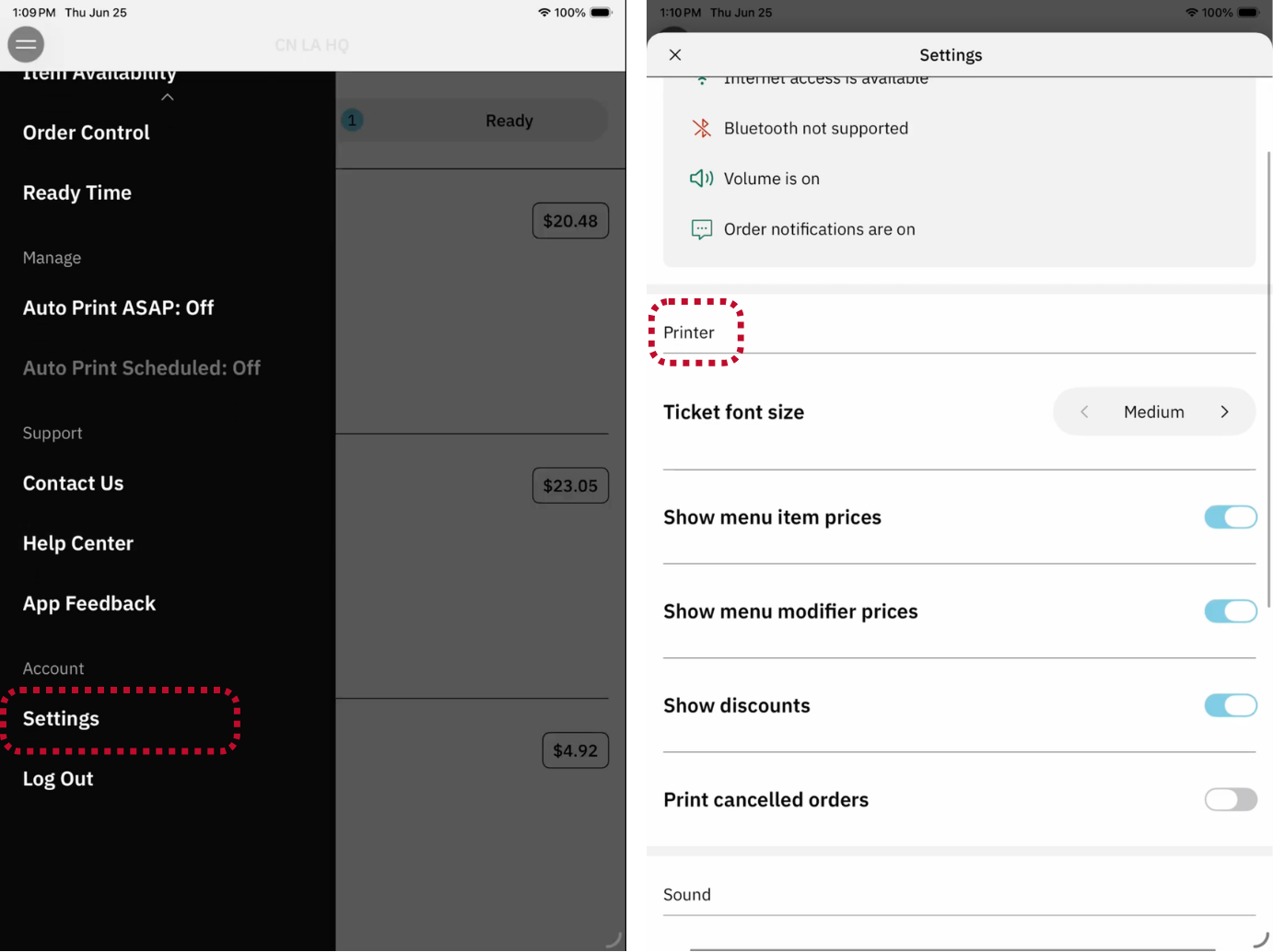
Turn any of these settings on or off:
- Ticket Font Size: Change the size of the text on printed tickets.
- Show Menu Item Prices: Turn on to print the price of each menu item on receipts.
- Show Menu Modifier Prices: Turn on to print the price of each modifier on receipts.
- Show Discounts: Turn on to print any discount applied to the order.
- Print Cancelled Orders: Turn on to print a cancellation receipt when an order is cancelled.
For Accounts without Order Aggregation Enabled (ChowNow Launch)
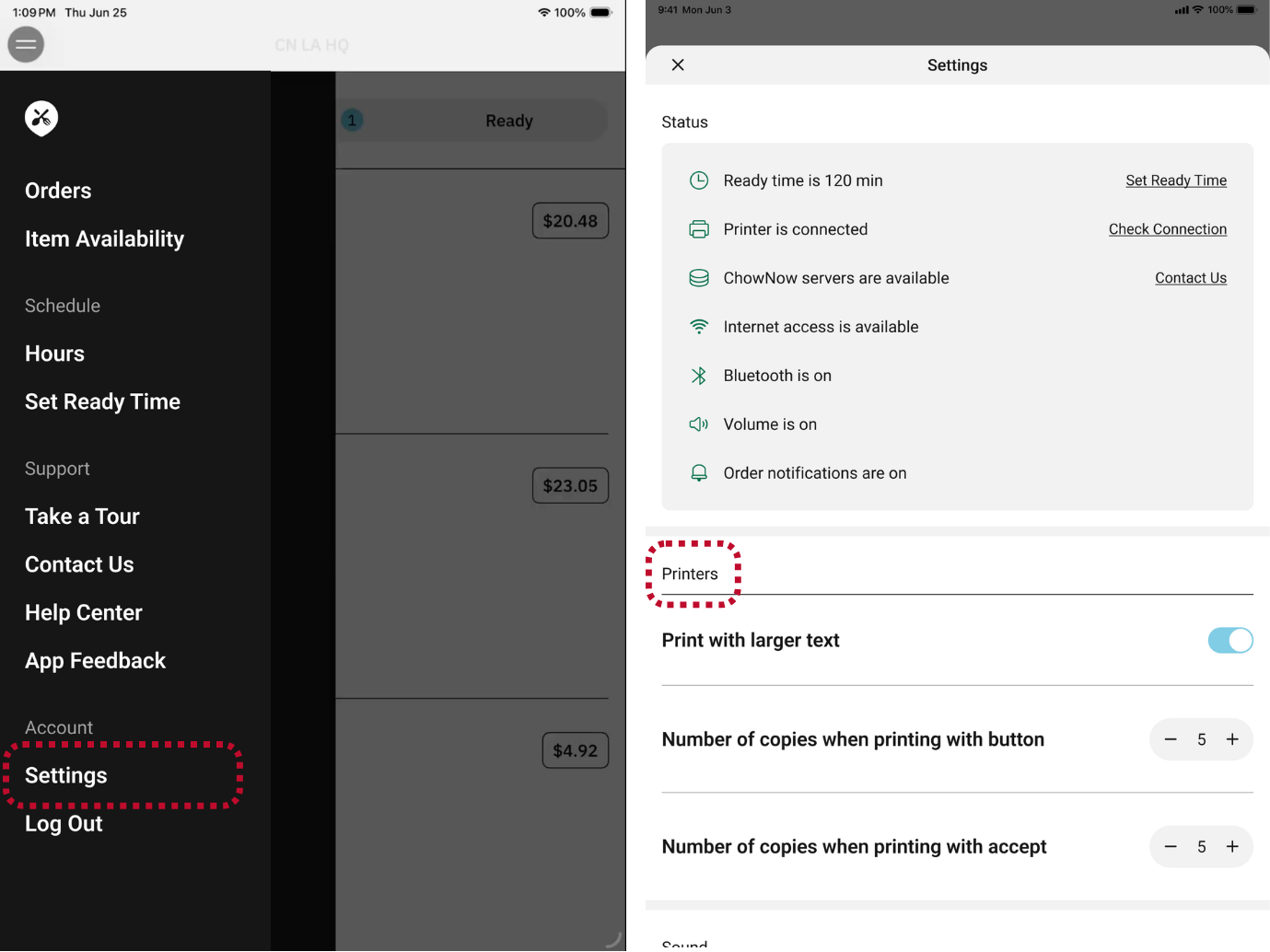
Manage any of these printer settings:
- Print with larger text: Change the size of the text on printed tickets.
- Number of copies when printing with button: Adjust the number of additional receipts that print when the printer icon is clicked on an order.
- Number of copies when printing on accept: Adjust the number of receipts that print at the time of order acceptance.
Android Tablet Settings
To open Global Printer Settings:
- Open the Cuboh app, then open Settings by tapping the three horizontal lines in the top left corner.
- In the main menu, select Global Printer Settings.
![]()
- Turn any of these settings on or off:

- Ticket Font Size: Choose Medium, Large, or Extra Large.
- Show Menu Item Prices: Turn on to print the price of each menu item on receipts.
- Show Menu Modifier Prices: Turn on to print the price of each modifier on receipts.
- Show Discounts: Turn on to print any discount applied to the order.
- Print Cancelled Orders: Turn on to print a cancellation receipt when an order is cancelled.
- Print Delivery Fee: Turn on to print the delivery fee on receipts.
![]()
