How to Change the Notification Sounds on Your Tablet
The steps to change the notification sounds on your tablet depend on your tablet type:
ChowNow iPad
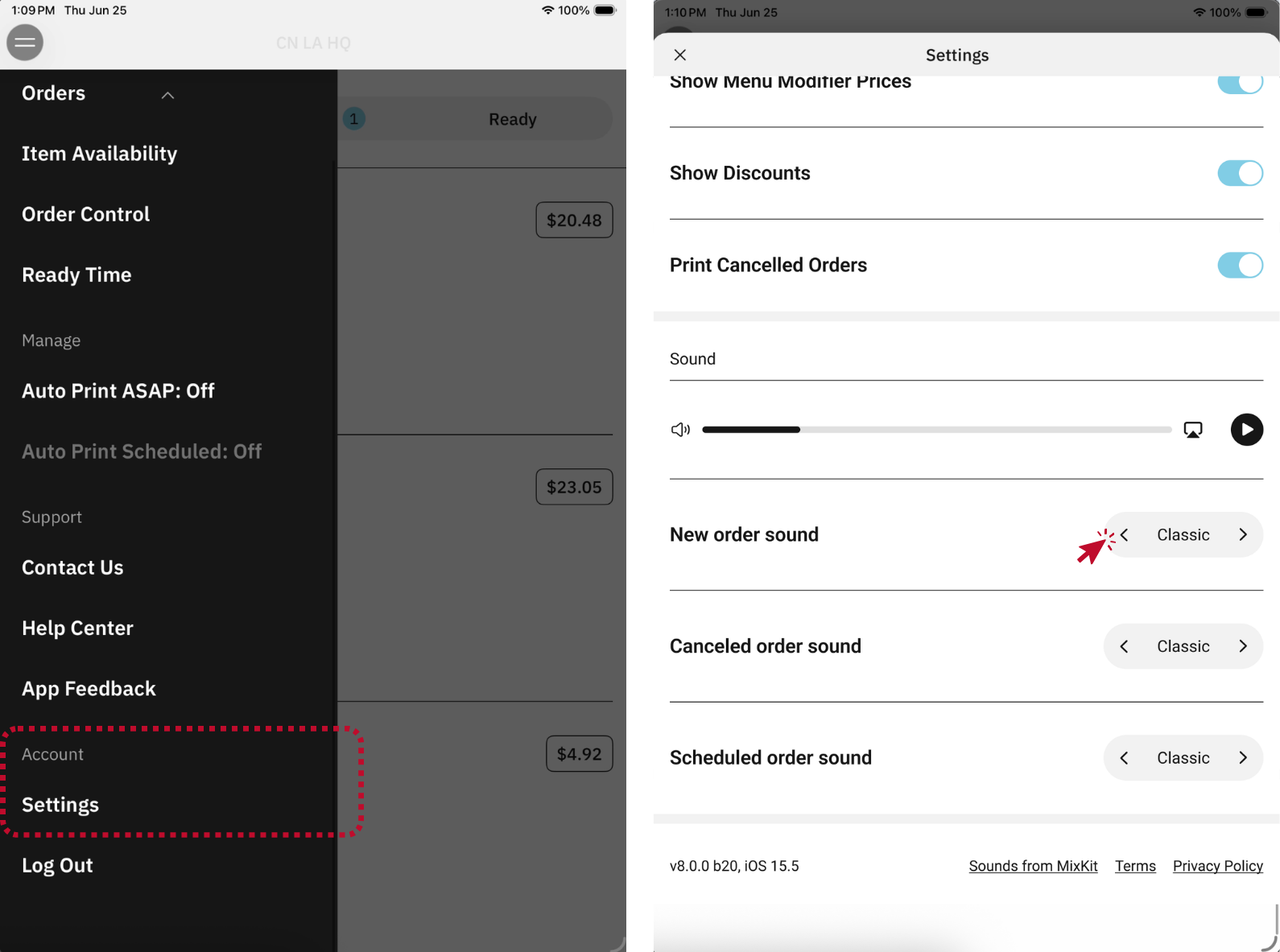
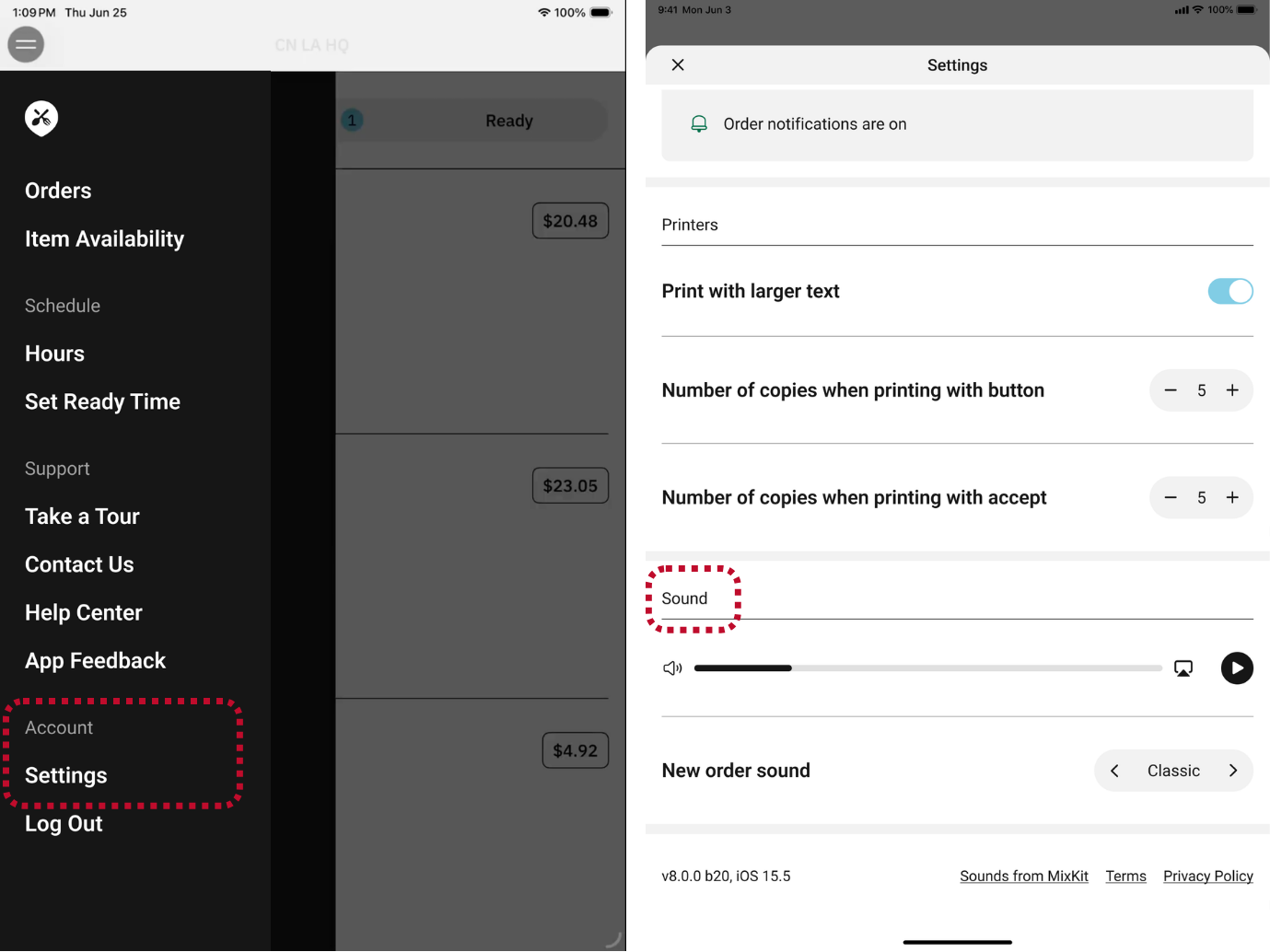
- Open the Business Manager app and select the location you want to manage.
- Tap the two horizontal lines in the upper left corner to open the navigation menu.
- Under “Account”, select “Settings”.
- Scroll down to “Sound”, where you’ll see options to adjust alert sounds.
- Tap on the selection arrows to pick from three alert sound options.
For Accounts with Order Aggregation Enabled (ChowNow Grow, Elevate, Hub)
Select alert sounds for New, Canceled, and Scheduled orders.
For Accounts without Order Aggregation Enabled (ChowNow Launch)
Select an alert sound for New orders.
Android Tablet
These instructions are for the Vankyo Matrixpad S20, but are similar for other Android tablets.
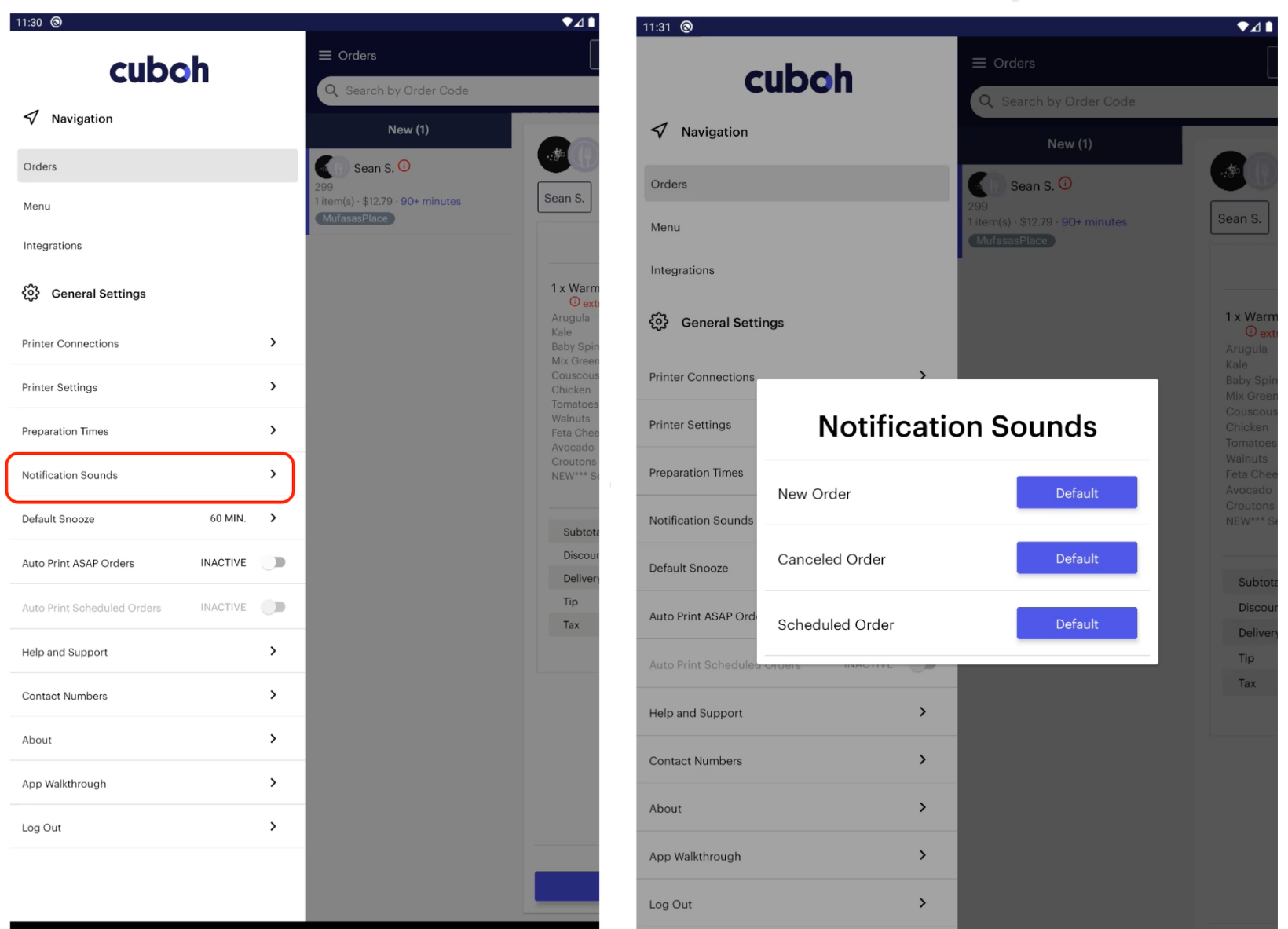
- On the Tablet, open the Cuboh app and navigate to settings.
- Select “Change Notification Sounds” and tap the notification you’d like to change, for example “New Orders Sound”
- Select the sound you want to use and Tap “Save”.
- Log out of the Cuboh app and log back in.
Using a custom MP3 sound (Android Only)
You can use any notification sound you’d like as long as it is an MP3 file. Once the file is transferred to the tablet, you can select “Custom MP3 File” from the notification sound options.
Preparing the tablet
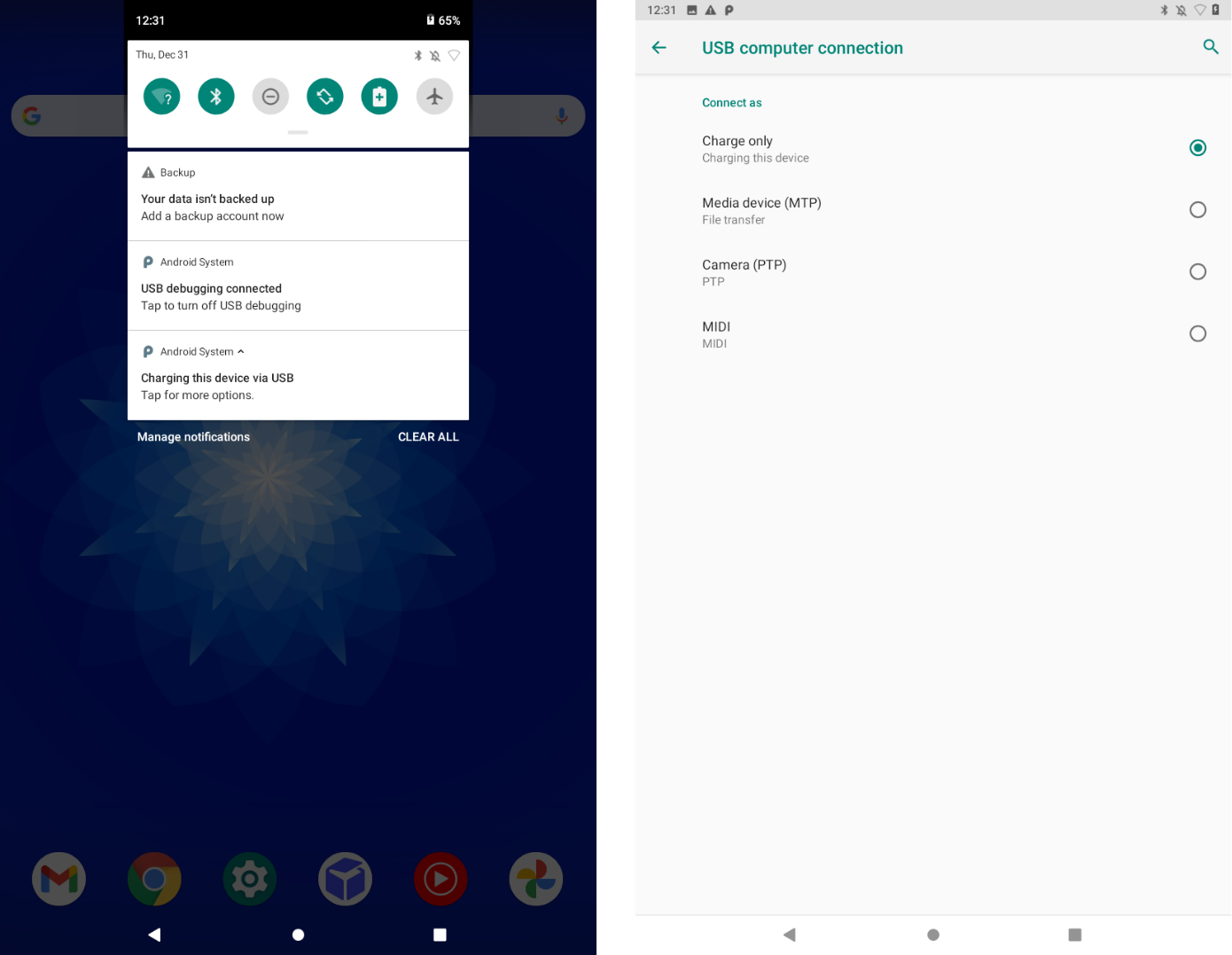
- Plug the tablet into a computer using the provided USB cable.
- Swipe down from the top of the screen and tap “Charging this device via USB – Tap for more options”
- On the USB computer connection page, tap “Media Device – MTP”, this allows your computer to transfer files to the tablet.
Preparing your computer
In order for your computer to be able to transfer files to the tablet, please download the Android File Transfer application, you can do so by using the link below.
Once the software is downloaded, install it as you would any other program on your Mac or PC.
Transferring and Configuring the MP3 file
You can use any notification sound you’d like as long as it is an MP3 file. Once you’ve selected one, complete the following steps.
- Select the “Music” folder on Android File Transfer and drag the MP3 file into this folder.

