How To Simplify Restaurant Order Management Across Platforms
Adding digital tools to your restaurant’s operations should make service easier—not more complicated. But if you’ve embraced third-party delivery apps, you’ve likely run into a major challenge: managing orders across multiple platforms is harder than it looks.
Instead of streamlining operations, these platforms often add a new layer of chaos. Orders pour in from every direction, staff scramble to keep up, and what was supposed to help you generate more revenue ends up feeling like more trouble than it’s worth.
Sound familiar? The good news is, a restaurant order management system can eliminate the confusion, reduce mistakes, and help you turn multiple order channels into a smooth, efficient operation. This video even shows how centralizing orders can reduce mistakes and keep service running smoothly during busy shifts.
- A restaurant order management system (OMS) centralizes direct and third-party takeout orders into one workflow.
- Order aggregation with a POS integration eliminates manual entry, reduces errors, and keeps kitchen and FOH aligned during busy shifts.
- Look for OMS features like menu sync/86ing across platforms, unified order dashboard, routing to KDS/printers, and refunds/adjustments in one place.
- Centralized reporting reveals top channels, peak order times, and best-selling items so you can improve staffing, speed, and profitability.
What Are the Challenges of Restaurant Order Management?
Online ordering and third-party apps are great for reaching new customers, but most restaurants use an average of three online ordering platforms, and this has also made order management far more complicated.
From our experience working with restaurants managing multiple ordering channels, the biggest operational pain usually isn’t volume, it’s fragmentation. When tickets live across different tablets and systems, small issues compound fast: modifiers get missed, menu updates don’t sync everywhere, staff waste time re-entering orders, and kitchens get slammed with poorly timed ticket flow. The result is avoidable refunds, slower service, and a team that feels like they’re reacting instead of running a process. Centralizing orders into one workflow doesn’t just “save time,” it reduces the moments where mistakes happen and makes busy shifts more predictable.
Here are the three biggest challenges:
Too many order channels, not enough time.
With orders coming from dine-in, takeout, your website, and third-party delivery apps like Uber Eats and DoorDash, keeping track of everything in real-time is a challenge.
Staff are often switching between multiple tablets, leading to confusion, slower service, and a higher risk of missed or delayed orders.
Manual entry leads to mistakes and delays.
Many restaurants still rely on manually entering online orders into their POS, a process that not only slows things down but increases the chance of mistakes.
A simple typo or missed modification can lead to the wrong dish being prepared, frustrating both customers and staff.
Plus, during busy shifts, there’s no time to double-check every order, making mistakes even more likely.
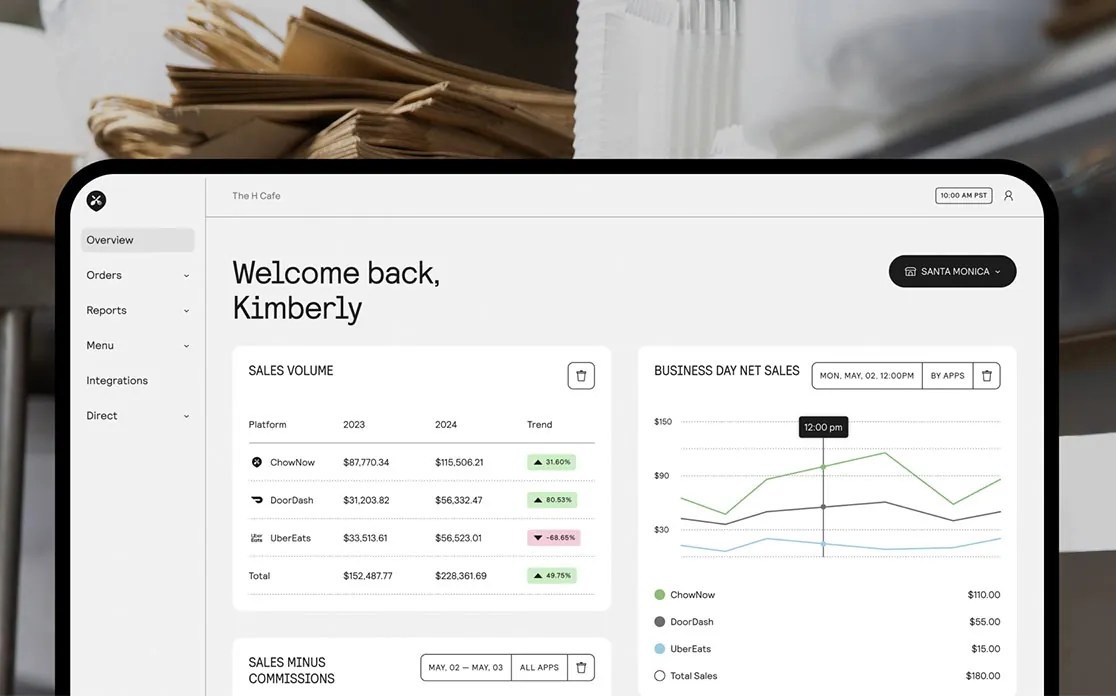
No centralized reporting makes it hard to track performance.
Without a single system to collect and analyze order data, it’s difficult to get a clear picture of what’s working and what’s not.
Which platform is generating the most revenue?
When are peak order times?
Are delivery delays affecting customer satisfaction?
Without centralized reporting, restaurants are left making decisions based on guesswork instead of real insights.
With 60% of consumers opting for delivery or takeout at least once a week, restaurant operators can’t miss this opportunity and must tackle these daily challenges head-on.
How Does an Order Management System Simplifies the Process?
Fortunately, managing orders across multiple platforms doesn’t have to be complicated.
A restaurant order management system (OMS) makes it easier by leveraging order aggregation—a process that funnels all your online orders into one place—so you’re not juggling multiple tablets, manually entering orders, or dealing with avoidable mistakes.
Instead of bouncing between different systems, an order management system automatically syncs orders from all your online channels—direct ordering and third-party delivery apps—directly to your POS.
This eliminates human error, speeds up service, and keeps both the front and back-of-house teams aligned.
It also prevents kitchen bottlenecks by ensuring orders are routed accurately.
Whether it’s a direct pickup order, or a third-party delivery request, the system sends tickets exactly where they need to go—reducing confusion and keeping operations running uninterrupted.
By eliminating manual data entry and streamlining the process, your team can avoid tablet chaos and instead steer their energy toward fulfilling orders and giving more attention to great customer service.
Key Features to Look for in an Order Management System
The right order management system should make your operation easier, help to reduce errors, and give you clear insights into your restaurant’s performance.
When evaluating your options, prioritize these key features:
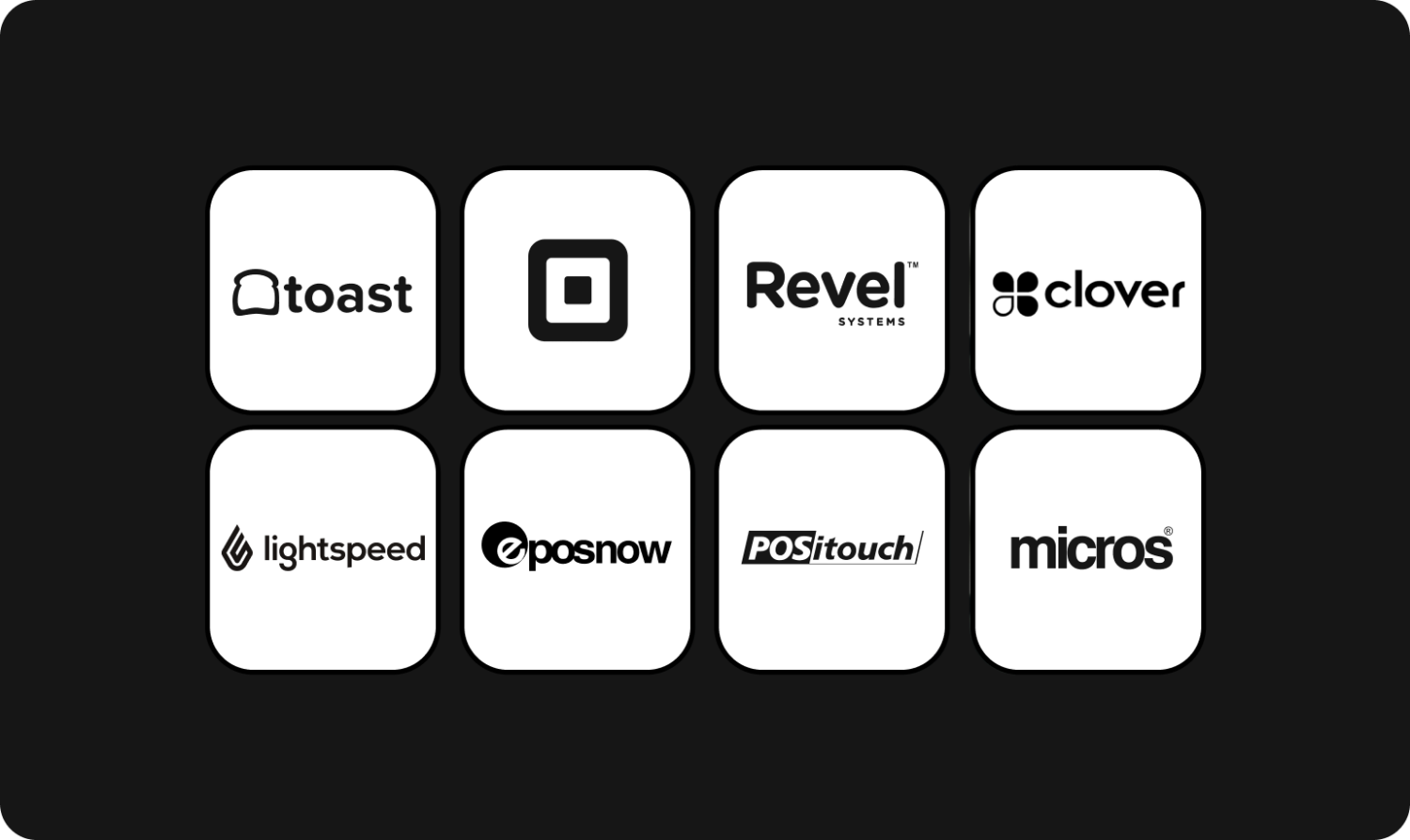
It integrates seamlessly with your POS system.
A good order management system should integrate directly with your restaurant’s POS and sync with third-party delivery apps like Uber Eats, DoorDash, and Grubhub.
This eliminates the need for staff to manually enter orders, reducing errors and ensuring a smoother workflow. Without this integration, orders can easily get lost or delayed, leading to frustrated customers and operational headaches.
Uses order aggregation to manage orders and menus from one place.
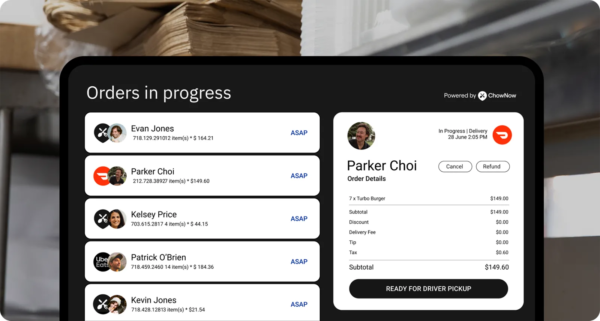
Instead of juggling multiple tablets and switching between different platforms, your order management system should combine all incoming orders into a single dashboard. This allows staff to view, manage, and fulfill orders efficiently without extra steps.
With order aggregation, you should be able to:
- Create and manage all your online menus from one hub
- Easily add, edit, or 86 menu items and push updates to one or multiple platforms
- Send orders directly to your POS and printer and manage them all in one tablet
- Handle order adjustments, process refunds, see driver info from one tablet
With order aggregation, your team works from one unified interface instead of scrambling to manage multiple platforms.
Built-in analytics for more informed decision-making.
A good order management system does more than just process orders—it provides valuable insights into how your restaurant performs across different sales channels.
A strong order management system should provide:
- Sales and revenue insights across all ordering platforms so you can determine which channels are most profitable
- Peak order time data to help with staffing and prep planning
- Menu item breakdown reports
Having access to real-time analytics means you’re not making decisions based on guesswork—you’re using actual data to improve your operations.
How Can You Implement an Effective Order Management System?
Choosing the right order management system is just the first step—successful implementation is what ensures a smooth transition and long-term efficiency.
Here’s how to integrate an order management system into your restaurant’s workflow without disrupting operations.
Step 1: Assess your current work order flow.
Before integrating a new system, look closely at your current order management process and identify your biggest challenges.
- Are staff spending too much time manually entering orders?
- Are order errors causing delays and customer complaints?
- Which third-party platforms do you rely on most?
Understanding these pain points will help you choose a system that directly addresses your restaurant’s needs rather than just adding another layer of complexity.
Step 2: Select the best order management software for your restaurant.
Once you’ve pinpointed your needs, the next step is finding a solution that integrates seamlessly with your existing tech stack—especially your POS, online ordering system, and third-party delivery services.
The right order management system should:
- Automate order entry to reduce manual work and minimize errors.
- Sync directly with your POS for accurate reporting and inventory tracking.
- Aggregate orders from multiple sources into a single platform, eliminating the need to juggle multiple tablets.
For restaurants looking for a streamlined and reliable order management solution, ChowNow offers a system that centralizes orders from your website and delivery partners, helping you maintain efficiency without added difficulty. Learn more about how ChowNow can help.
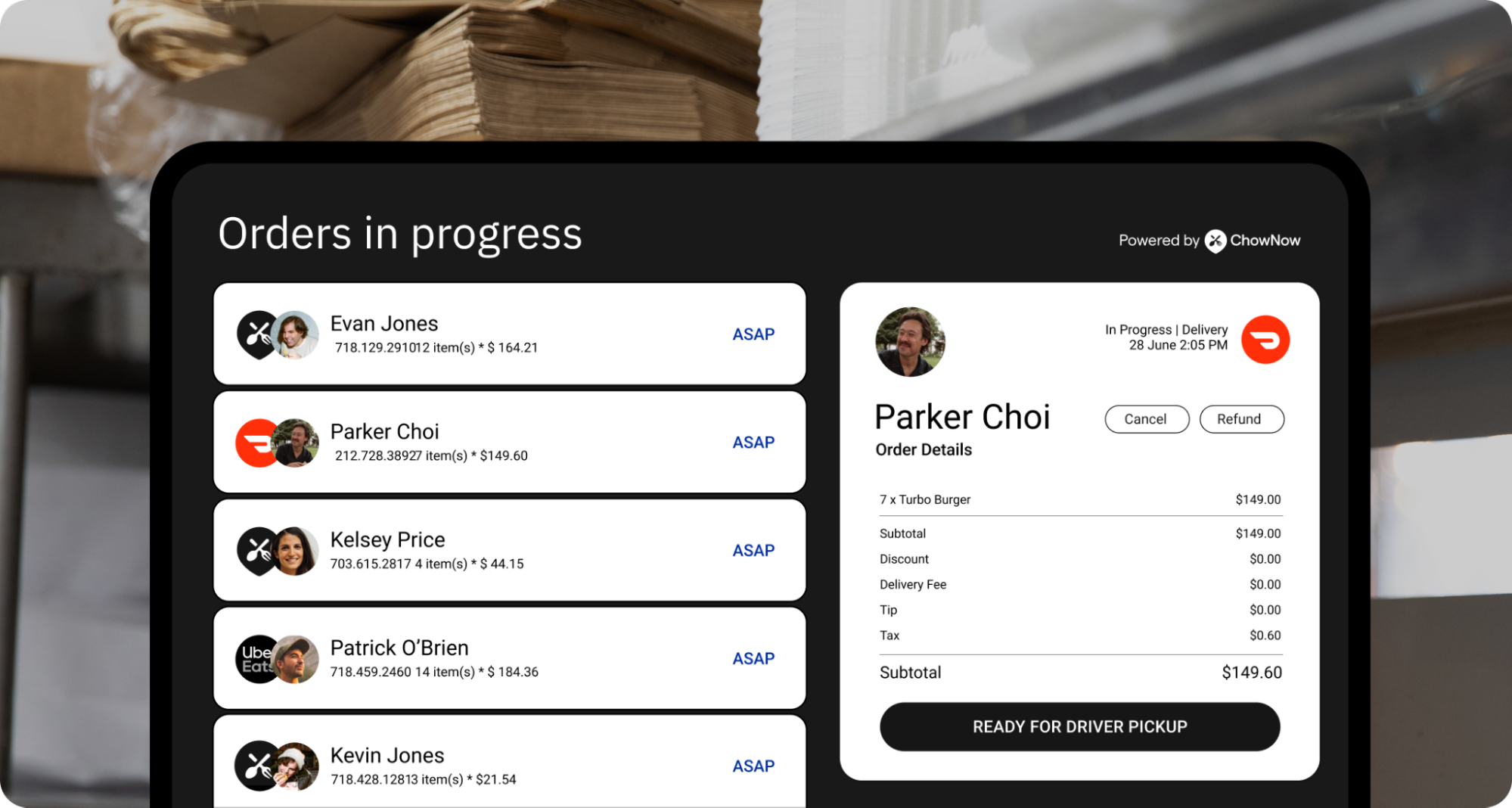
By automating processes and consolidating orders in one place, ChowNow helps operators eliminate manual work and stay focused on running their business smoothly.
Step 3: Train your staff for a smooth transition.
New restaurant technology can be incredibly intuitive, but don’t assume everyone on your team will easily pick up the new system.
To ensure a seamless transition, provide plenty of hands-on training for both the kitchen and front-of-house teams.
- Walk staff through how to view and process orders using the new system.
- Show staff how to make menu adjustments using the consolidated system.
- Run a few test orders to identify any issues before going live.
Making sure everyone is comfortable with the new system minimizes disruptions and keeps service running smoothly. For more tips on staff training, read our article on how to train staff on new systems.
Step 4: Monitor, assess, and adjust to optimize your performance.
Once your order management system is in place, keep a close eye on the built-in reporting tools to track key performance indicators (KPI).
Use centralized reporting to:
- Monitor order volume and trends to adjust staffing levels as needed
- Adjust workflows to improve efficiency and prevent kitchen bottlenecks
- Use sales data to determine which platforms generate the most revenue and adjust your strategy accordingly
Closely watching your systems data ensures you’re aware of what’s happening in your ordering system in real-time. Doing so allows you to make informed decisions and fine-tune your operations for better performance over time.
How the Right System Can Simplify Your Operations
When you’re managing orders from multiple channels, the goal isn’t to add more tools, it’s to reduce complexity. A strong restaurant order management system brings direct and third-party orders into one streamlined workflow, syncs them to your POS, and helps your team move faster with fewer mistakes. With a centralized dashboard and reporting, you can spot what’s driving revenue, plan for peak times, and keep service running smoothly even when orders spike. If you’re ready to escape tablet chaos, ChowNow can help you centralize orders and simplify day-to-day order management.
Contact ChowNow team to learn how order aggregation and POS integration can help you escape tablet chaos and improve your restaurant order management.
Restaurant Order Management Frequently Asked Questions
What is an order management system for restaurants?
A restaurant order management system is a tool that aggregates orders from different channels into a single platform. It streamlines online ordering, reduces mistakes, and provides valuable analytics to help optimize operations and improve customer service.
How do restaurants manage orders from multiple delivery platforms?
Restaurants typically use an order management system to centralize orders from various sources like Uber Eats, DoorDash, and their own websites. This system eliminates the need to juggle multiple tablets and reduces errors caused by manual entry.
Why is managing online orders such a challenge for restaurants?
Most restaurants use multiple third-party delivery services, creating a fragmented workflow. Staff often have to manually enter orders from separate tablets into the POS, which leads to mistakes, slower service, and difficulty tracking analytics.