Is QR Code Ordering Worth It for Your Restaurant? (Pros, Cons, and ROI)
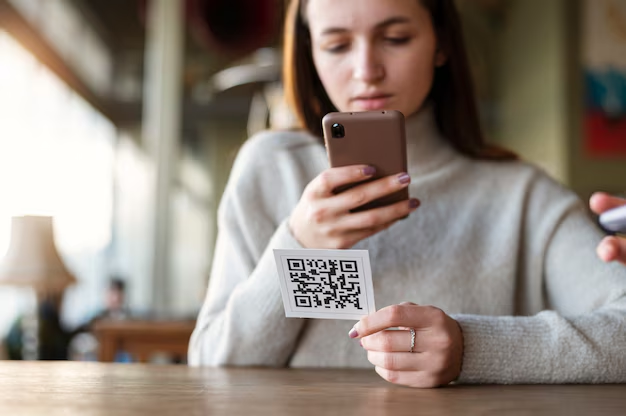
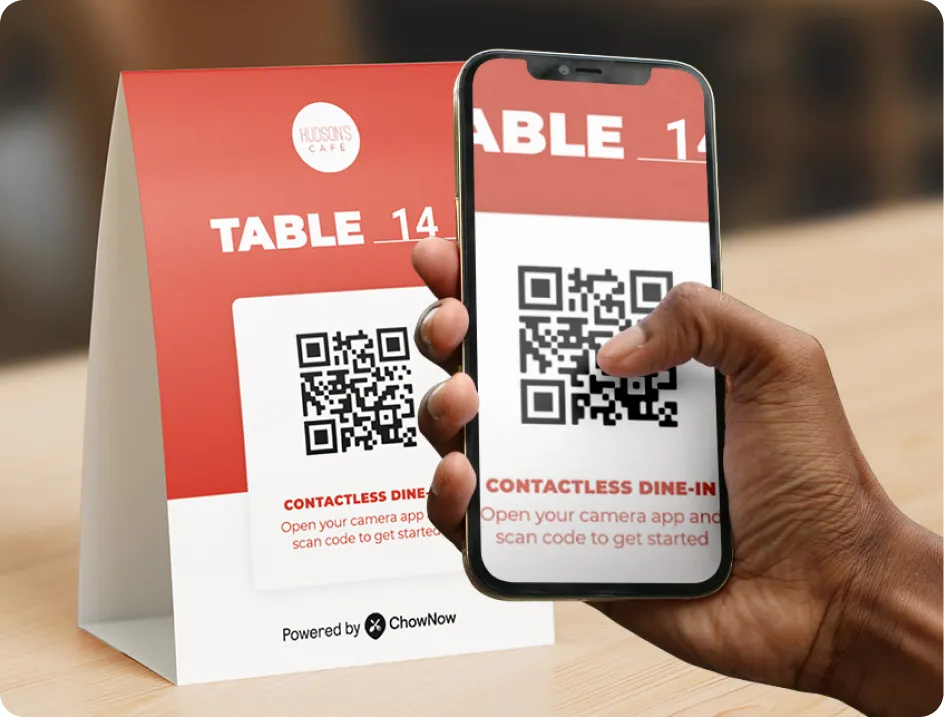
QR code ordering lets dine-in guests scan a code at the table, browse the menu on their phone, place their order, and pay, without flagging down a server. For independent restaurants, the pitch is straightforward: faster service, a lift in average check size, and a way to finally capture customer data from the one channel that’s historically given you none.
But it’s not automatically the right call for every dining room. This guide walks through the real benefits of QR code ordering for restaurants, the tradeoffs worth weighing, and how to decide if it’s worth adding to yours.
In this article, you will learn:
- What the benefits of QR code ordering actually are, backed by data
- The tradeoffs and who should think twice before adding it
- What separates the best QR code ordering platforms from the rest
- How to decide if it’s worth it for your restaurant
Does QR Code Ordering Actually Increase Check Size?
Yes. Restaurants using ChowNow QR Code Ordering see an average 9% increase in check size compared to traditional dine-in.
A few reasons it works:
- No social friction on add-ons. Asking a server for an extra side or another drink feels like a small ask; tapping it into a digital order doesn’t.
- Full menu visibility. Modifiers, add-ons, and upsells are right there in the menu flow, not buried behind a “do you want anything else?” prompt.
- Self-paced ordering. Guests order when they’re ready, not when the server happens to be at the table, which means more time to consider another item.
For a casual or fast-casual restaurant doing meaningful dine-in volume, a 9% lift compounds quickly into real annual revenue.
What Are the Benefits of QR Code Ordering for Restaurants?
Beyond check size, three things drive most of the adoption:
Faster service and tighter operations. Guests don’t wait for a server to take their order, and servers aren’t running tickets back and forth. Tables turn faster, kitchens get cleaner tickets, and front-of-house staff can spend more time on the parts of service that actually drive tips.
Customer data. This is the one most operators underestimate. Dine-in has historically been a marketing dark hole where you serve hundreds of guests a week and have no idea who any of them are. QR code ordering captures contact information at the moment of order, turning every dine-in guest into a marketing contact you can reach later. Restaurants using ChowNow’s QR Code Ordering have grown their marketing lists by 40%+.
Diner readiness. The technology is already familiar. According to the National Restaurant Association’s Technology Landscape Report, 59% of guests will use a QR code to view a menu, 48% are comfortable ordering entirely via QR, and that number climbs to 76% among Gen Z and Millennials.
What Are the Downsides of QR Code Ordering?
No system is a fit for every restaurant. Before you add one, weigh these against the upside:
- It requires guests to use their own phones to order. Some diners, particularly older guests or those who prefer a traditional service experience, may want a server instead.
- It can feel impersonal if it replaces service rather than supplementing it. A hybrid approach (QR available, but not required) tends to work best for most dining rooms.
- There’s a short staff training curve. Your team needs to introduce it consistently for adoption to stick.
QR code ordering doesn’t have to replace your traditional service. The strongest deployments treat it as an option diners can choose, alongside server-led ordering for guests who prefer that.
Should My Restaurant Use QR Code Ordering for Dine-In?
QR code ordering is most worth it for restaurants where:
- Throughput matters and faster table turns translate to more revenue
- Guests are comfortable with self-service, which is most casual and fast-casual dining today
- You want to start capturing customer data from your dine-in business and feeding it into your marketing
- You’re looking to free up front-of-house labor without cutting headcount
If your dining room is built around a high-touch, server-led experience and your guests value that as part of the brand, QR code ordering still has a role, typically as an optional channel for guests who want to order or pay on their own schedule, alongside your traditional service.

Want more like this in your inbox? Subscribe to ChowNow Feed.
What Is the Best QR Code Ordering System for Restaurants?
The right QR code ordering platform for an independent restaurant has three things working together:
- Diner-friendly experience. Loads fast, works on any phone, and doesn’t require an app download.
- POS-agnostic. Works with the POS you already have, not a system that requires you to switch.
- Connected to your direct ordering and marketing. Every QR order should build the same customer list as your online orders, not sit in a separate silo.
ChowNow QR Code Ordering hits all three. It’s POS-agnostic by design, the diner experience is browser-based with no app friction, and the customer data flows into the same marketing system that powers your online ordering business. For operators already running ChowNow, it’s an extension of the platform, not a separate tool to learn.
POS-bundled QR products, like the ones built into Toast or Square, work fine if your entire stack lives on that POS. The lock-in caveat is worth flagging: if you ever switch POS, the QR product goes with it.
Best QR Code Ordering Platforms for Fast Casual Restaurants
For fast casual operators specifically, the calculus shifts slightly. Volume is higher, table turns matter more, and the guest is already primed for self-service.
What to prioritize:
- Speed of setup and speed at the table. A fast casual dining room can’t afford friction at either end.
- Menu customization depth. Fast casual menus tend to have more modifiers and build-your-own formats, so the QR experience needs to handle that cleanly.
- Reporting tied to table turn time. You want to see whether the platform is actually moving guests through faster, not just taking the order.
ChowNow, Toast, and Square all offer QR ordering, but only ChowNow ties it directly into a marketing system built for independents rather than a generic POS add-on.
Scan-to-Order vs. Scan-to-Pay: What’s the Difference?
Scan-to-pay and scan-to-order are often discussed as separate categories, but they’re really two parts of the same system. Each solves a different problem:
- Scan-to-order speeds up the front of the meal. Guests order when they’re ready, kitchen tickets come in cleaner, and servers can step away from order-taking.
- Scan-to-pay speeds up the end of the meal. Guests pay on their schedule, tables turn faster, and servers don’t get stuck dropping checks and running cards.
The strongest QR products do both. ChowNow QR Code Ordering covers both flows in one product: guests can scan to browse and order, scan to pay when they’re done, or both, depending on how the restaurant wants to deploy it.
Why Is Dine-In Customer Data So Valuable for Restaurant Marketing?
Dine-in is where most independent restaurants do the majority of their business, and historically, it’s the channel where they know the least about their customers.
Online ordering builds a customer list automatically: every order ties to a contact. Dine-in traditionally doesn’t. A restaurant can serve the same guest twenty times in a year and have no record they ever walked in.
That’s the gap QR code ordering closes. Every dine-in guest who orders through the QR code becomes a marketing contact you can reach with welcome emails, win-back campaigns, and on-demand promotions, the same retention engine your online ordering customers feed. The dine-in guest list and the online ordering list become one list, and your marketing reach grows substantially as a result.
Here’s what you collect from every QR order:
- Name
- Email address
- Phone number
- Table number and order history
Is QR Code Ordering Worth It for Your Restaurant?
Weighing it all together, QR code ordering is one of the higher-leverage additions a casual or fast-casual restaurant can make: a 9% check size lift, faster table turns, and a marketing list that finally includes your dine-in guests, all without adding hardware or replacing your POS.
It’s worth skipping, or treating as optional only, if your service model is built around high-touch, server-led hospitality where a phone at the table would work against the experience you’re selling.
For everyone else, the ROI case is hard to argue with, especially once it’s connected to the rest of your direct channel. That’s how operators like Renegade Burrito have built compounding results across the platform: 6x more orders through their branded mobile app, a 31% lift after turning on automated emails, and a 17x return on a single SMS campaign.

“Other ordering platforms keep customer data to themselves and won’t share it with restaurants. With ChowNow, the customer data is mine, and I can use it to market to my customers and know who they are.”
— Brad Harris, Renegade Burrito
The QR Code Ordering product page covers the capabilities in more detail. When you’re ready to see how it would work for your restaurant, book a demo and our experts will walk through it with you.
Frequently Asked Questions About QR Code Ordering
Is QR code ordering worth it for a small independent restaurant?
It depends on your dining room. If throughput and table turns matter and your guests are comfortable with self-service, the check-size lift and data capture make it worth adding. If your brand is built around high-touch, server-led service, it still has a role, but as an optional channel rather than a replacement.
What’s the difference between scan-to-order and scan-to-pay?
Scan-to-order lets guests browse and place their order from their phone. Scan-to-pay lets them pay and close out on their own schedule. They solve different parts of the meal, and the strongest QR systems support both.
Do I need QR code ordering if I already have online ordering?
Online ordering only captures guests who order for pickup or delivery. QR code ordering closes the dine-in gap, the one channel where restaurants historically have the least customer data, and feeds it into the same marketing list.
Will QR code ordering hurt my restaurant’s dine-in experience?
Not if it’s optional. Guests who want a server will still ask for one. QR code ordering adds a lane for guests who’d rather move at their own pace; it doesn’t replace hospitality-led service.
How much does QR code ordering cost?
With ChowNow, QR Code Ordering is included as part of the Grow and Elevate plans, not sold as a separate add-on. Cost depends on which plan you’re on.