Simplify Takeout With Order Aggregation For Faster, Smoother Operations
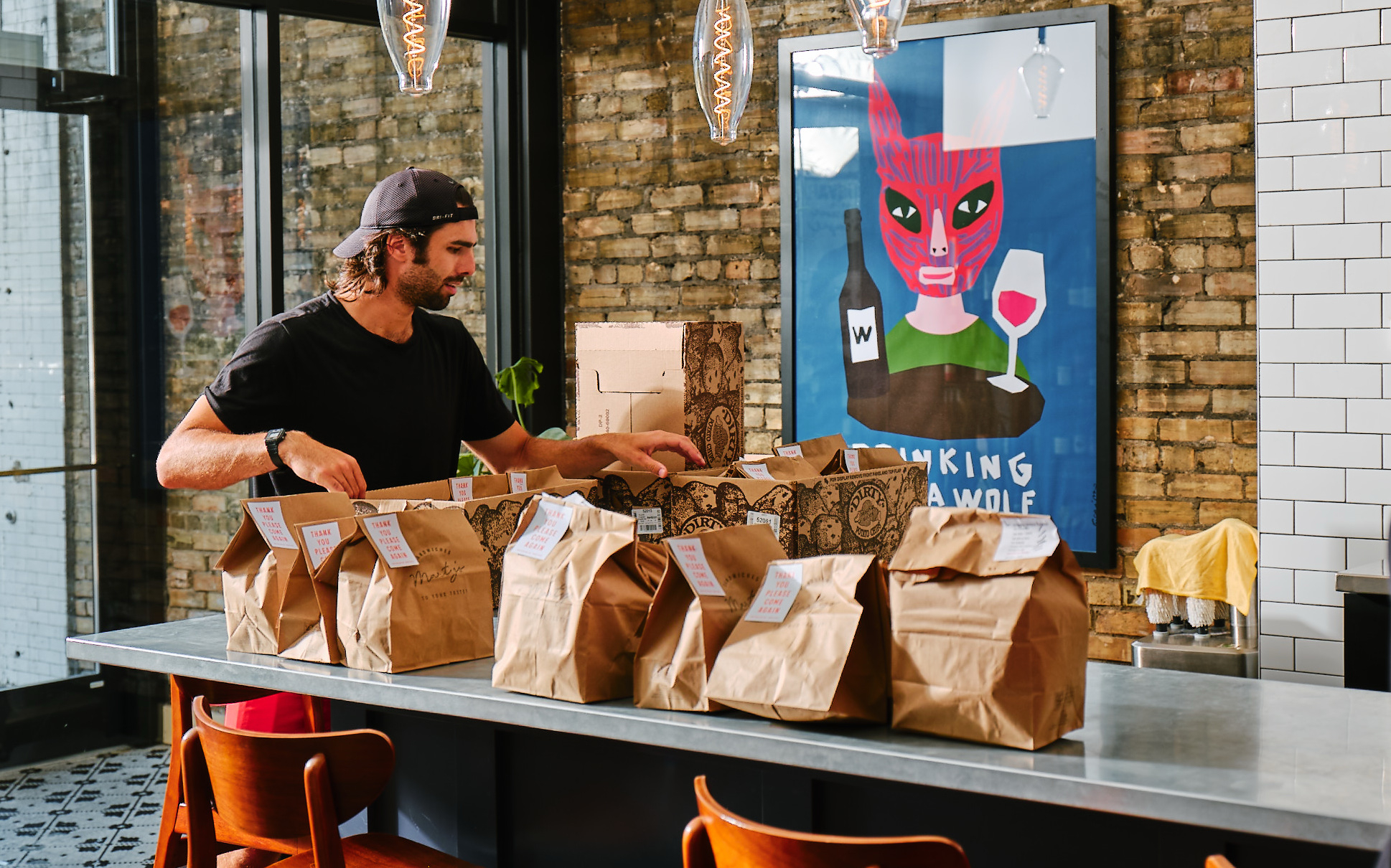
Running takeout shouldn’t feel like a balancing act, but that’s precisely what happens when every online ordering channel brings its own device, its own alerts, and its own set of rules.
One order comes through fine. Then a second tablet chimes, the printer sends something unexpected, and suddenly your staff is jumping between screens instead of staying focused on guests.
It’s not that your team isn’t capable—it’s that the system itself is working against them.
Order aggregation fixes this at the root.

Instead of treating each ordering channel like its own separate universe, it consolidates all your orders into one place so your staff can work faster, make fewer mistakes, and stop playing “Which tablet is this one from?” during the dinner rush.
In an industry where every minute, every order, and every repeat guest matters, operators need tools that remove friction—not add to it. Order aggregation does exactly that.
In this article, you will learn:
- What order aggregation is (and why it matters now more than ever)
- How it solves everyday operational pain points for your staff
- Why a unified system leads to faster, smoother takeout experiences
What Is Order Aggregation And Why Does It Matter?
Most restaurant operators offer diners multiple ways to place orders:
- Over the phone
- Your restaurant website
- Your branded mobile app
- Various third-party marketplaces
The demand that drives all these channels is great, but the workflow behind them can get messy fast.
Order aggregation brings harmony to that chaos, so your team isn’t stuck piecing together a system the tools themselves never intended to create.
Here’s how it works.
It Centralizes Every Incoming Order, No Matter Where It Starts
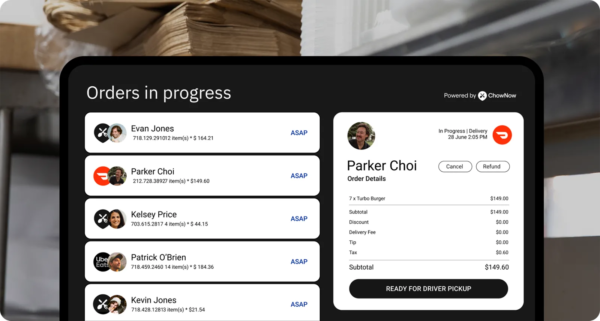
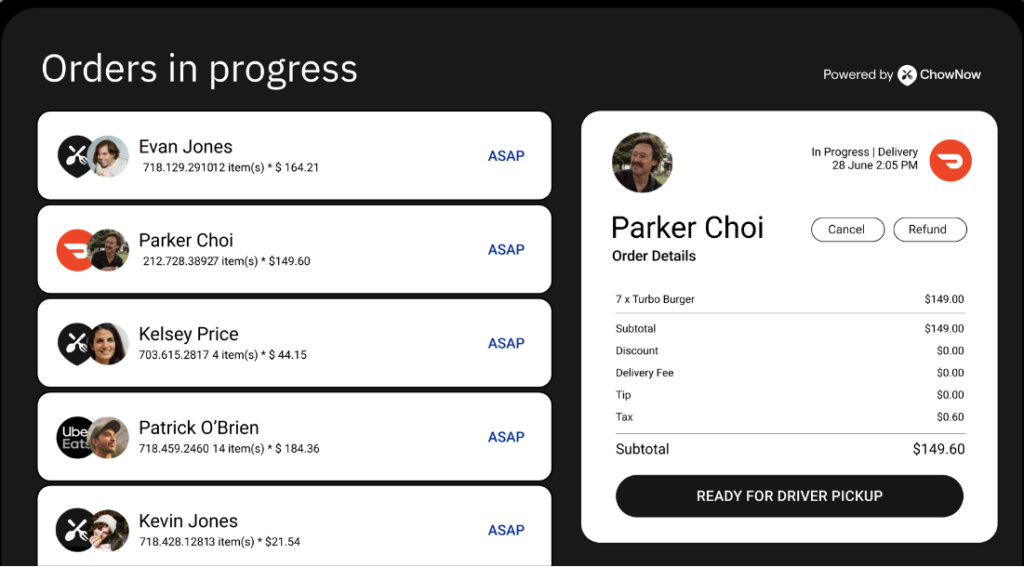
Order aggregation brings all your digital orders (direct and third-party) into a single centralized system. Instead of bouncing between devices or waiting for staff to re-enter an order manually, everything lands in one clean, unified stream your team can trust.
It also gives your kitchen a single source of truth, so tickets are consistent and no one has to stop mid-rush to hunt down which tablet a ticket came from. That single flow of orders creates a rhythm your staff can rely on, especially during peak hours.
It Fits How Guests Actually Order Today
Your guests are no longer just calling in or walking up to the counter anymore—they’re ordering through DoorDash, Grubhub, your own app or website, Google, and more.
Today’s world of takeout is mobile-first and multi-channel by default. Without a central system to pull it all together, it’s easy for orders to fall through the cracks.
It Eliminates the Risks of Disconnected Tools
Disconnected ordering tools slow your team down, increase the risk of mistakes, and make it harder to manage menus and pricing across platforms.
Every manual step, like retyping in a third-party order or updating item availability in multiple places, is time your staff can’t afford to lose.
Order aggregation eliminates those weak points by turning a messy counter full of tablets into a single, smooth system.
The Daily Operational Headaches Order Aggregation Solves
Every operator knows the stress that builds when takeout gets slammed, but the system can’t keep up.
These headaches don’t show up neatly on your P&L—which makes them difficult to quantify, but they absolutely shape your team’s day, affect your ticket times, and influence your guest experience.
Order aggregation addresses these issues at their source instead of forcing your team to work around them.
These are the most common issues that come from juggling multiple ordering channels.
Tablet Overload Creates a Chaotic Workflow
When every delivery app comes with its own device, your counter suddenly looks like a tech store instead of a restaurant.
Staff have to keep an eye on multiple screens, each pinging with new orders, updates, and notifications. It’s stressful, easy to miss things, and pulls attention away from what matters—serving guests.
Manual Entry Leads to Errors and Menu Inconsistencies
When orders from third-party platforms don’t flow directly into your POS or kitchen printer, someone on your team has to retype or transcribe them.
That opens the door to incorrect orders, pricing discrepancies, or missed modifiers. It’s not just inefficient—it creates a frustrating guest experience when food comes out wrong.
Juggling Multiple Platforms Overwhelms Staff and Slows Operations
Toggling between platforms to update menus, pause ordering, or check reports eats up valuable time and mental energy. When your staff is overwhelmed by managing tech instead of making food, service suffers.
Order aggregation lightens that load by streamlining the tools and workflows your team depends on every day.
How ChowNow’s Order Aggregation Works
Once operators see what order aggregation does behind the scenes, the value becomes obvious.
It replaces the patchwork of devices and workflows with a single system that moves orders cleanly from the guest to your kitchen without friction, rework, or confusion.
Here’s how ChowNow’s Order Aggregation can work in your restaurant.
All Orders Flow Into One System Connected to Your POS or Printer
Whether a guest orders through DoorDash, Uber Eats, your website, or your own app, ChowNow routes every order into a single dashboard.
That platform connects directly to your POS or kitchen printer, so orders print automatically, just like your in-house tickets.
No more switching screens, no more retyping orders, and no more missed tickets.
Centralized Menu Management Keeps Every Channel Accurate
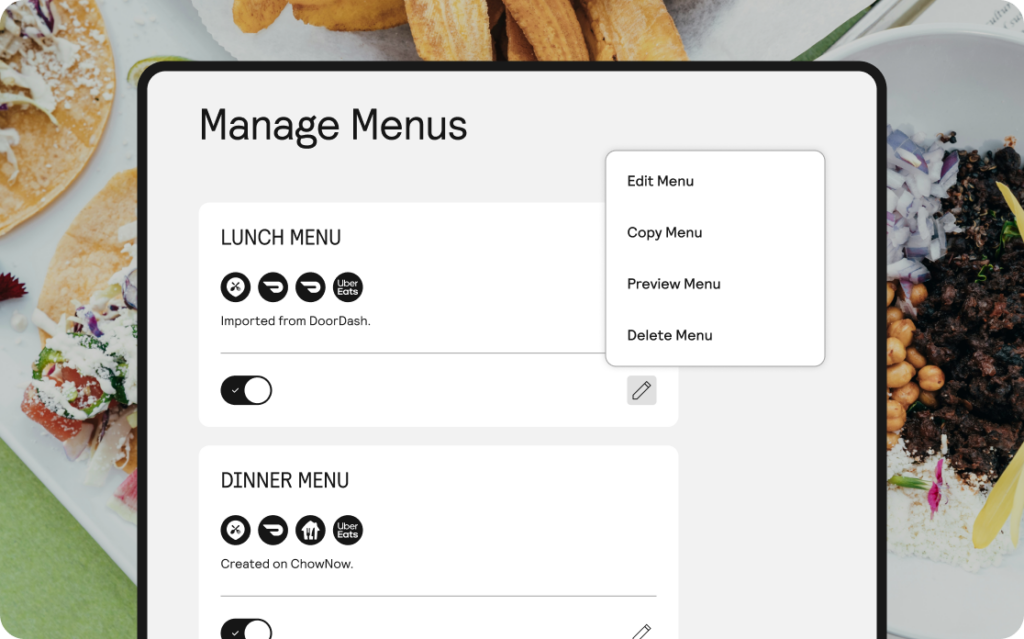
This is where operators feel one of the biggest operational shifts. Instead of logging into several platforms to make updates, you manage your entire menu from one dashboard.
- Update pricing once, and it syncs everywhere
- 86 items instantly across all platforms
- Add new menu items or descriptions without bouncing between systems
Because every marketplace pulls from the same source of truth, you don’t end up with mismatched pricing, missing modifiers, or items showing as available when they’re not.
Guests see an accurate menu.
Your team no longer has to apologize for wrong prices or 86d items.
And you stay in charge of your restaurant’s online presence.
Automatic Order Acceptance and Smart Routing Speed Up Operations
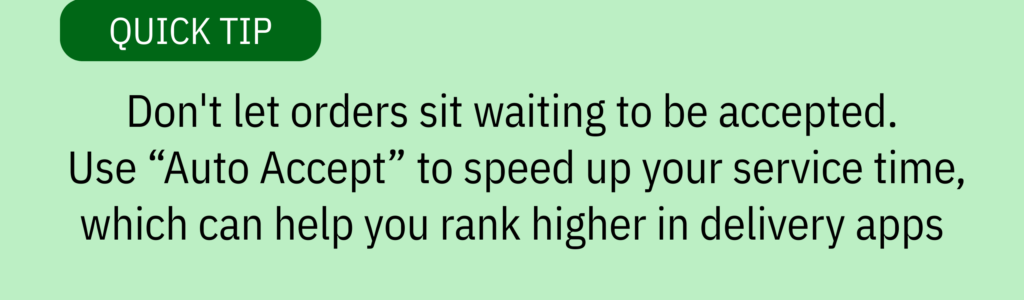
Orders don’t sit waiting for someone to tap “accept.” The system brings them in automatically and routes each ticket where it needs to go—your POS, printer, or expo station.
That automation reduces delays, lowers the chance of mistakes, and helps your kitchen stay in rhythm even during heavy volume. It even helps you rank higher in delivery apps.
Clearer Insights That Help You Make Better Decisions
When every order funnels into one platform, you finally see the full picture of your off-premise business.
Which items move fastest, which channels bring in the most guests, and when demand spikes throughout the week—everything comes through one clean reporting dashboard.
Those insights help operators lean into what’s working and grow order volume with confidence.
Why Operators Love Running With A Unified Ordering System

When every ordering channel feeds into one reliable system, operators immediately feel the difference.
Staff spend less time troubleshooting, orders move faster, and the experience becomes more consistent for guests. A unified workflow doesn’t just clean up the tablet mess—it creates a smoother operation end to end.
A Streamlined Workflow That Reduces Errors and Delays
When orders are automatically accepted and sent to the right place, the most common takeout mistakes start to disappear.
- No more missed tickets because a tablet went to sleep or got overlooked.
- No more re-entered items that get typed incorrectly.
- No more awkward conversations with guests about orders that never made it to the kitchen.
Orders arrive in one clear format your team can trust, which keeps the kitchen moving and protects your guest experience.
Consistency becomes the norm, even during high-volume shifts.
A Less-Stressed Team That’s Free to Focus on Service
Tablet clutter and manual tasks drain your staff’s time and attention. With order aggregation, your team can work with one straightforward system instead of trying to juggle five different platforms.
That simplicity clears the mess on the counter and takes a significant weight off your people so they can focus on what they do best: cooking great food and delivering exceptional customer service.
Faster, More Reliable Ordering That Helps Boost Sales and Guest Satisfaction
A unified system improves speed across the board: orders are accepted, routed automatically, and sent to the kitchen without delay. This means your staff can easily handle more orders without adding stress or creating bottlenecks in your operations.
With 54% of diners saying they’re willing to wait 30 minutes or more for delivery, every second you shave off gets guests their food faster and makes it more likely they’ll reorder.
Faster acceptance times also help maintain strong marketplace performance, improving your visibility, ranking, and ultimately your order volume. And because all orders run through one system, operators get clearer reporting to understand demand and make smarter decisions about staffing and menu updates.
Table: Takeout Operational Issues and How Order Aggregation Fixes Them
The Easiest Way To Reduce Stress And Increase Takeout Revenue
A unified ordering system takes pressure off your staff and keeps tickets moving smoothly from the moment a guest hits “order.” When operators aren’t wrestling with disconnected tools, they create a takeout experience that performs better and drives stronger results.
Contact ChowNow to learn how Order Aggregation can eliminate tablet chaos, drive bigger profits with order insights, and boost productivity.
Order Aggregation Frequently Asked Questions
What is order aggregation?
Order aggregation is a system that pulls every online order—direct and third-party—into one unified workflow, so your staff doesn’t have to manage multiple tablets or manually retype orders into your POS. Instead of juggling several platforms, operators see all orders in a single, consistent format that goes straight to the kitchen. This reduces errors, speeds up service, and creates a smoother takeout experience for both staff and guests.
Can I still manage menus across multiple platforms?
Yes. Order aggregation lets you update your menu once and automatically sync those changes across every connected ordering channel. Pricing, item availability, modifiers, photos, and descriptions all pull from the same source of truth. This prevents mismatched menus and saves operators time by eliminating the need to log into multiple dashboards just to make routine updates.
Does it work with third-party marketplaces?
Yes. Order aggregation integrates with major third-party marketplaces and funnels those orders into your unified system. Orders from DoorDash, Uber Eats, or other apps arrive the same way your direct orders do—automatically accepted, properly formatted, and routed to your POS or printer. This removes the need to monitor separate tablets and helps maintain faster acceptance times, which can improve marketplace performance.
How does order aggregation reduce staff workload?
Order aggregation reduces restaurant staff workload by eliminating the need to monitor multiple tablets, manually re-enter third-party orders, or update menus in several places. It automates these repetitive tasks, allowing your team to focus on food prep and guest service instead of tech management.
Will this help prevent order errors and missed tickets?
Yes. Because order aggregation automatically accepts orders and sends them directly to your POS or kitchen printer, there’s far less room for human error. Missed tickets caused by sleeping tablets, overlooked notifications, or slow acceptance times disappear. Every order arrives in the same reliable format, which keeps the kitchen in rhythm and helps operators protect both speed and accuracy during high-volume shifts