Why Juggling Multiple Tablets Costs More Than You Think

Running a restaurant today often means dealing with a stack of tablets sitting next to the line, buzzing nonstop from every delivery app you rely on. Most operators accept this as a part of doing business—just another piece of the chaos that comes with a busy service.
But over time, juggling multiple tablets does more than add clutter to your counter. It quietly slows ticket times, drains labor, frustrates staff, and chips away at the margins you’re trying to protect.
If you’ve ever wondered why your team feels stretched thin even on “normal” nights, or why little mistakes seem to pile up when the rush hits, your tablets are probably part of the problem.
They create hidden costs you don’t always see until they start impacting guest satisfaction, order accuracy, and your bottom line.
In this article, you will learn:
- How tablet overload slows down service and increases mistakes
- Why it leads to staff burnout and lost guest trust
- How order aggregation can eliminate tablet chaos
The Three Hidden Operational Costs Of Tablet Overload

At a glance, managing a few third-party delivery tablets might not seem like a big deal. But the more platforms you add (most restaurants have an average of three), the more those devices start to erode your kitchen’s performance, increase labor inefficiencies, and open the door to costly errors.
What you’ve accepted as “it’s just how it is” is actually dragging down your entire takeout operations.
Here are the three biggest impacts tablet chaos has on your business.
Constant Tablet Switching Slows Down Ticket Times
Every tablet requires attention, and every second your staff spends bouncing between screens is time they’re not focused on the food.
When orders come in from multiple apps, team members often have to manually enter each one into the POS, slowing down the process.
What starts as a five-second delay can snowball into long ticket times, order pileups, and a kitchen that’s constantly playing defense instead of staying ahead.
Manual Order Entry Leads to More Mistakes and Re-Fires
Every time your team retypes or re-enters an order from a tablet into your POS, you introduce another chance for human error.
A missed modifier, a wrong quantity, a forgotten add-on—it only takes one slip for an order to go sideways.
Re-fires slow down the kitchen, refunds cut into margins, and staff morale drops when they feel like they’re correcting problems caused by the tools, not their performance.
Managing Multiple Devices Adds Hidden Labor Costs
Multiple tablets don’t just take up counter space—they take up labor.
Someone has to:
- Monitor them
- Clear notifications
- Pair printers
- Adjust volumes
- Restart devices
—and troubleshoot the constant “Why isn’t this one printing?” questions that pop up at the worst possible times. It’s a job no one officially has, but everyone ends up doing it, and it silently eats into the labor you’re already trying to control.
How Juggling Tablets Stresses Staff and Hurts the Guest Experience

Even when your team is experienced and fast, managing a pile of tablets pulls their attention in too many directions at once. That mental load shows up in slower responses, missed details, and service that feels scattered—especially when the rush hits.
The guest might never see the devices, but they definitely feel the effects.
Switching Between Systems Makes Orders Easy to Miss or Delay
When staff are bouncing between multiple platforms, it’s far too easy for an order to sit unnoticed on one tablet while they’re handling another.
A ticket might get delayed, duplicated, or overlooked entirely.
From a guest’s perspective, that means food shows up late, incorrect, or not at all—each one a hit to your brand’s reputation and a potential lost repeat customer.
Distracted Staff Leads to Inconsistent Service During Peak Hours
Your team can’t give guests their full attention when they’re constantly managing a parade of incoming alerts.
Instead of staying present with diners or staying locked in on the line, they’re reacting to devices, the exact opposite of the calm, controlled environment operators try to create during busy shifts.
That distraction leads to uneven service, rushed customer interactions, and breakdowns that ripple through the entire shift.
Constant Alerts Create a Stressful, Reactive Kitchen Environment
Each tablet brings its own alerts, pings, and printouts. Multiply that by three, four, or five apps, and your kitchen becomes a nonstop cycle of reacting to notifications.
Instead of flowing through service, your team is jumping between fires, which only adds to burnout, turnover, and tension during already high-pressure shifts.
Why Split Systems Make Reporting, Planning, And Staffing Harder

Managing multiple order platforms doesn’t just cause chaos during service; it also makes it harder to run your business strategically.
When your data is scattered across different systems, your reporting becomes unreliable, your forecasting suffers, and even simple menu updates turn into a time-consuming chore.
Scattered Order Data Leads to Inaccurate Reporting and Forecasting
When sales are spread across several apps, it takes extra time and effort to piece together a complete picture of your performance.
Numbers may not line up.
Trends are harder to spot.
And forecasting becomes guesswork instead of strategy.
Without clean, centralized data, it’s nearly impossible to staff appropriately, plan purchasing with confidence, or pinpoint where your profits are coming from.
Operators Lose Visibility Into Channel Performance Across Platforms
If each delivery app has its own dashboard, you’re constantly switching views just to understand how each channel is performing.
You can’t easily compare order volume, ticket sizes, or peak times without manually tracking everything yourself.
That lack of visibility makes it harder to know which platforms are actually serving you and which ones might be costing more than they’re worth.
Managing Menus, Pricing, and Hours in Multiple Places Becomes a Burden
Updating menu items, prices, and holiday hours across multiple platforms isn’t just annoying—it’s risky.
If you forget to update one app, guests might order items you’re 86d or see outdated prices. Multiply that across locations or staff members, and the room for error gets even bigger. Split systems create more work and more chances for something to slip.
How Modern Order Consolidation Tools Eliminate Tablet Chaos

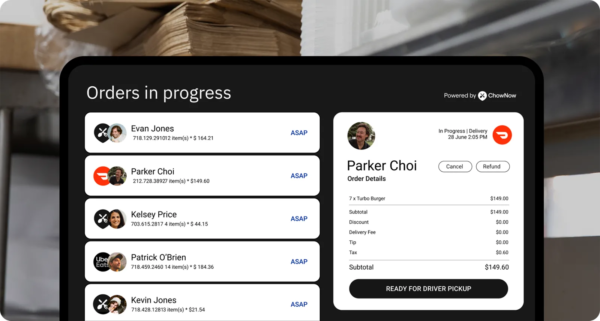
When all your delivery orders flow into a single centralized system instead of a handful of competing tablets, everything about your operation becomes calmer, faster, and more predictable.
Your team gets time back.
Your kitchen finds its rhythm again.
And you regain visibility into the parts of your business that matter most.
Streamlined Workflows Let Your Team Move Faster
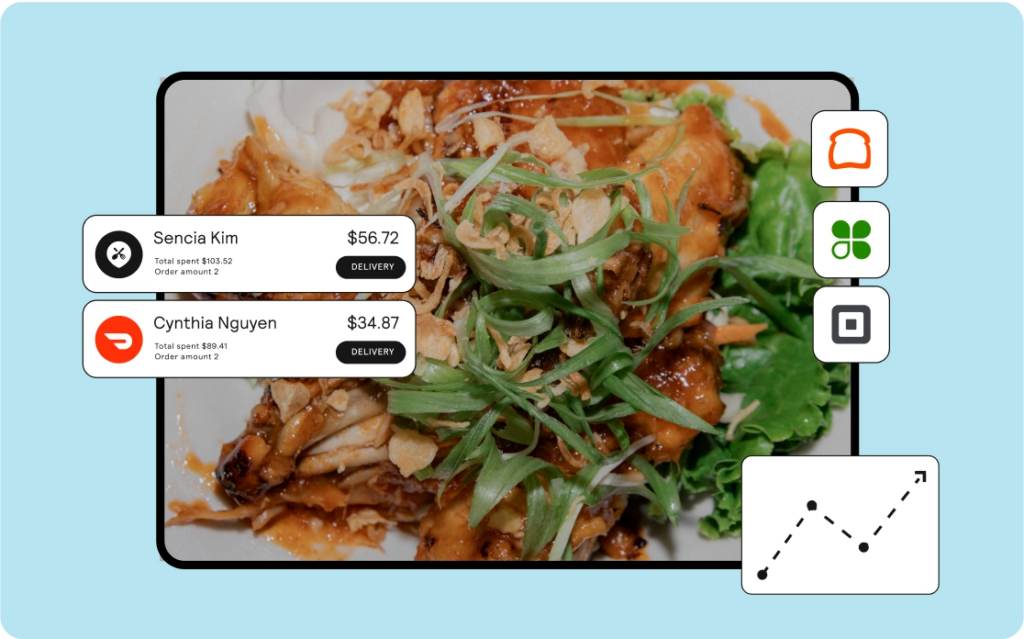
When every incoming order automatically appears in one place, your staff no longer has to monitor multiple devices, clear endless notifications, or manually route tickets.
Orders go straight to your POS or kitchen display system, and your team stays focused on executing, rather than juggling tablets.
This kind of simplicity doesn’t just save time; it directly improves operations, order accuracy, and staff morale.
Unified Order Management Keeps the Focus on Guests, Not Screens
With one system handling every order, your staff can finally stay present with guests and the kitchen, rather than reacting to constant tablet alerts.
There’s less tapping, less troubleshooting, and fewer distractions during peak periods.
That shift alone can tighten up service, reduce errors, and create a smoother flow from the front counter to the line.
Table: What Centralized Order Flow Unlocks for Your Restaurant
The Real Cost of Tablet Chaos Adds Up Faster Than You Think
What seems like a small inconvenience—a few extra tablets, a little added friction—quickly snowballs into lost time, frustrated staff, and shrinking margins. Streamlining your order flow isn’t just a tech upgrade; it’s a smarter way to run your restaurant.
Contact ChowNow to learn how Order Aggregation can replace tablet chaos and consolidate all incoming orders into a single streamlined workflow.
Order Aggregation Frequently Asked Questions
How do I manage multiple delivery tablets in my restaurant?
The most effective way to manage multiple delivery tablets is to consolidate all incoming orders into a single system. This eliminates the need to monitor several devices, reduces missed tickets, and keeps your staff focused on cooking and serving instead of switching between screens. Operators who centralize their delivery channels usually see faster ticket times, fewer entry mistakes, and a smoother workflow during peak hours.
What’s the best way to reduce tablet chaos in a restaurant?
The best way to reduce tablet chaos is to use an order aggregation tool that pulls orders from all delivery platforms into one workflow. Instead of reacting to constant alerts and notifications, your team receives every order in a single place, which creates a calmer kitchen environment and improves accuracy. Consolidation also cuts down on manual entry and keeps service moving at a steady pace.
How can I improve order accuracy when using several delivery apps?
You can improve order accuracy by removing manual order entry from the process. When staff members no longer have to retype tickets from different tablets, there are fewer mistakes, fewer re-fires, and fewer refunds. Centralizing orders in one system ensures that every detail—modifiers, add-ons, substitutions—flows directly to the kitchen exactly as the guest submitted it.
What tools help restaurants centralize third-party delivery orders?
Order Aggregation tools are designed specifically to centralize third-party delivery orders. These tools connect directly to major third-party delivery apps that then route all incoming orders to a single workflow, removing the need to manage multiple tablets. Restaurants that use an aggregation system gain cleaner data, a more predictable kitchen rhythm, and the ability to update menus and pricing without repeating the work across several platforms.
How do I know if tablet overload is affecting my margins?
Signs that tablet overload is affecting your margins include slower ticket times, frequent order mistakes, staff needing extra time to manage devices, and inconsistent reporting across delivery channels. When your team spends more time juggling technology than serving guests, labor efficiency drops and operational costs rise. If you’re noticing delays, re-fires, or unclear performance data, tablet overload is likely contributing to shrinking margins.